
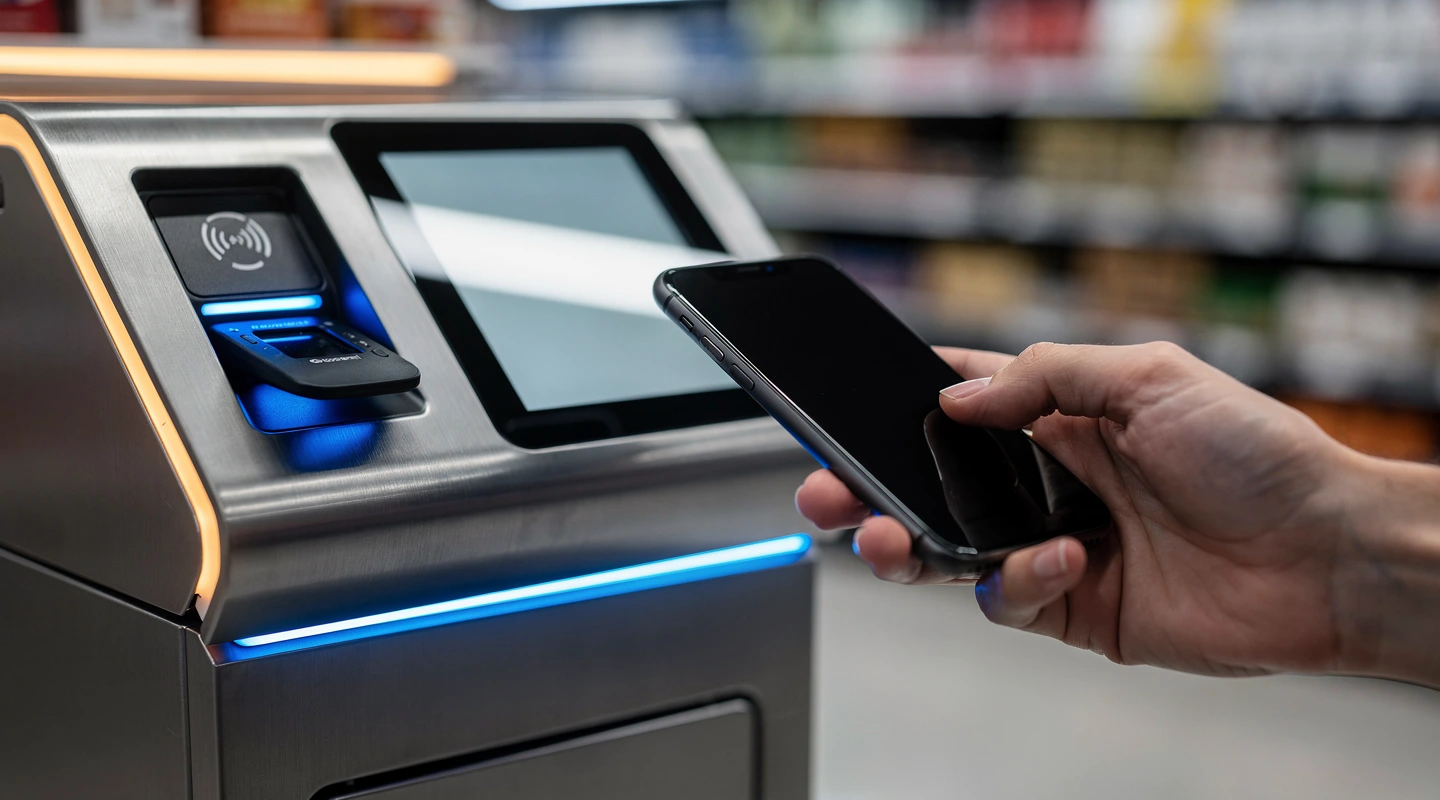
Apple Pay, Google Pay and Paypal are no longer optional at the US retail checkout. By the spring of 2026, mobile wallet penetration in the United States has crossed the threshold where missing one of the three big buttons measurably drags down conversion. This guide unpacks how each option behaves in stores and online, what to wire up first, and where retailers still trip over the basics.
In short
- Apple Pay dominates iOS share of wallet at checkout, especially in Q4 gifting and grocery, with tokenization handled at the device level.
- Google Pay is the default for Android shoppers and increasingly the rails for Google Wallet pass programs, including loyalty and BNPL passes.
- Paypal remains the most cross-platform option, with the broadest BNPL footprint via Pay in 4 and the deepest buyer-protection trust signal.
- Most cart abandonment caused by wallet friction comes from two preventable issues: hidden buttons below the fold and broken Apple Pay domain verification.
- If you can only enable one this quarter, enable the wallet that matches your dominant traffic source: iOS-heavy means Apple Pay, Android-heavy means Google Pay, marketplace-style means Paypal.
For the broader picture across cards, buy now pay later and crypto, see our pillar on how retail payments are changing across cards, BNPL and crypto. The wallet conversation only makes sense inside that broader rail mix.
Why apple google paypal checkout matters in 2026
Two forces collapsed timelines in the US wallet market. The first was iOS 17 onward shipping Apple Pay as the default suggested payment for in-app and Safari checkout, which trained a generation of iPhone shoppers to skip card entry entirely. The second was the post-2024 Google Wallet expansion, which folded Google Pay, identity passes and loyalty into one Android surface.
The practical effect on retailers is simple. Shoppers expect a one-tap path. When they do not see it, they pause. Pauses kill conversion. According to public filings from Shopify, Stripe and Adyen across 2024 and 2025, merchants that turned on at least two wallet buttons saw measurable conversion lift, with the largest gains on mobile.
The third force is regulatory. The Consumer Financial Protection Bureau opened a 2024 inquiry into general-use digital consumer payment apps, which made transparent disclosures around BNPL and wallet fees a board-level topic. Compliance teams now treat wallet enablement as a documented decision, not just a developer task.
Key terms and definitions
Before going further, it helps to lock down what we mean by each label. The marketing teams at Apple, Google and Paypal each use overlapping terminology, so the same word can describe three different things.
| Term | What it actually is | Where it lives |
|---|---|---|
| Apple Pay | Tokenized card-on-file mechanism using Secure Element and Touch ID or Face ID for authentication. | iOS, watchOS, macOS Safari, in-store NFC. |
| Apple Wallet | Container app holding payment cards, passes, IDs and event tickets. Apple Pay is the payment function inside it. | iOS and watchOS only. |
| Google Pay | Payment surface that processes card-not-present and NFC tap-to-pay on Android. | Android, Chrome on Android, web via Google Pay API. |
| Google Wallet | Pass and credential container that includes Google Pay plus loyalty, transit and digital IDs. | Android primarily, limited Wear OS. |
| Paypal | Account-based payment method backed by stored cards, bank accounts and balances, with Pay in 4 BNPL bundled. | Web checkout, iOS and Android apps, Venmo integration. |
| Paypal Pay in 4 | Short-term, interest-free installment plan integrated into the Paypal flow. | Same checkout as Paypal; auto-shown when eligible. |
The distinction between Apple Pay and Apple Wallet matters operationally. A merchant integrates Apple Pay as a payment method through Stripe, Adyen, Braintree or Apple Pay JS. A merchant adds passes (boarding passes, loyalty cards, gift cards) to Apple Wallet through a separate pass kit pipeline. Conflating the two on the roadmap means scope creep.
How wallet checkout works in practice
The flow looks the same to the shopper. One tap, biometric prompt, done. Underneath, three different message exchanges run.
Apple Pay flow
- The merchant page calls Apple Pay JS or the Apple Pay native API.
- Apple validates the merchant domain against the merchant ID and shows the sheet.
- The user authenticates with Face ID or Touch ID.
- Apple returns an encrypted payment token (Device Account Number, not the real PAN).
- The merchant forwards the token to the payment service provider, which decrypts and routes to the issuer.
The unglamorous truth: most Apple Pay outages on merchant sites trace back to missing or expired domain association files. The file lives at /.well-known/apple-developer-merchantid-domain-association, and a single redirect on that path will break the sheet for every iPhone user on the site.
Google Pay flow
- The merchant loads the Google Pay JavaScript client.
- It builds a
PaymentDataRequestwith allowed card networks and the merchant ID. - Google returns a payment token signed and encrypted with the merchant gateway’s public key.
- The merchant forwards the token to its gateway for processing.
Google Pay is less strict about domain verification, but more strict about Content Security Policy headers. Sites that lock down frame-src without allowlisting pay.google.com see the button render but never open. The fix is one line in the CSP, but the symptom (a button that does nothing) tends to get blamed on the cart engine first.
Paypal flow
- The merchant loads the Paypal JS SDK with client ID and intent (capture or authorize).
- The shopper clicks the Paypal button and is redirected, or opens a smart popup.
- The shopper logs in or uses a previously stored cookie session.
- Paypal returns an
orderIDafter approval. - The merchant captures the order server side and gets back the transaction reference.
Paypal sits in a different category because it is account based, not card or token based. The shopper does not need an Apple device, an Android device or a card stored on a specific phone. That portability is the reason Paypal still wins on cross-device baskets, despite the heavier checkout flow.
Common mistakes and how to avoid them
The mistakes that cost the most are not exotic. They are the same handful that retail engineering teams have been making since 2018, just at higher stakes now.
Hiding wallet buttons below the fold
Putting Apple Pay, Google Pay and Paypal under the address form is the single most expensive layout choice in mobile checkout. The whole point of a wallet is to skip address entry. If a shopper has already typed their address before they see the wallet button, the wallet has lost its value. Express checkout zones belong above the cart summary, not under it.
Letting Apple Pay domain verification rot
Apple requires merchants to host a verification file at a fixed path. When teams migrate to a new CDN or move from one Shopify plan to another, that file is the first thing to break. Set up a monthly synthetic check that fetches the file and alerts on anything other than HTTP 200.
Treating wallets as redundant card paths
Some merchants disable wallets because “the shopper can just enter a card.” That logic ignores risk. Apple Pay tokens carry liability shift on certain network rules. Google Pay tokens reduce PCI scope. Paypal carries seller protection that a raw card transaction does not. Turning off wallets to save a vendor fee can raise chargebacks and PCI scope in ways no one budgeted for.
Wallet selection without analytics tagging
If checkout analytics cannot distinguish a Paypal conversion from an Apple Pay conversion, the merchandising team cannot answer the simple question of which wallet drove the lift. Tag each wallet button with a distinct event in GA4 or your analytics suite. The cost is a one-line dataLayer push per button.
Ignoring the buy-button race
Apple, Google and Paypal each push merchants to render their button first or largest. Brand teams sometimes fight this in design reviews. The data is clear: shoppers tap the wallet they recognize, and stacking order matters less than presence. Render all three, sized consistently. Let the shopper pick.
Examples from US retail and e-commerce
Target’s app, for example, surfaces both Apple Pay and Google Pay during the buy-online-pickup-in-store flow, and routes the same tokens through its in-house wallet for stored-value top-ups. The result is a wallet inside a wallet, which sounds confusing but lets Target keep loyalty mechanics on Cartwheel intact.
Sephora’s web checkout, by contrast, leads with Paypal because of Beauty Insider tie-ins that lean on Paypal’s stored shipping addresses. Sephora discovered through testing that for gifting baskets in particular, where the buyer is not the recipient, the Paypal address book shortcut beat both Apple Pay and Google Pay on completion.
For grocery, Whole Foods relies primarily on Apple Pay in-store via NFC because of the iPhone base inside Amazon Prime’s high-frequency shopper segment, but Whole Foods online (via Amazon) uses Amazon Pay rather than third-party wallets. That split illustrates a recurring pattern: stores often use one wallet stack in physical and a different one online, because the conversion levers are different.
Small DTC brands have a simpler playbook. The Shopify-hosted brands tend to enable all three Shop Pay accelerators (Shop Pay, Apple Pay, Google Pay) plus Paypal, because Shopify’s Dynamic Checkout takes the heavy lifting out of the integration. The lift from doing this on a fresh Shopify store typically shows up within two weeks of analytics data, especially on Meta-driven mobile traffic.
The retail tech ecosystem behind these flows is itself a market worth tracking. We cover the funding and acquisition side in detail in the tools and vendors for retail tech funding in 2026 piece, which maps the vendors that power the buttons above.
Tools, partners and vendors worth knowing
Wallet enablement rarely happens by writing code against Apple’s, Google’s and Paypal’s SDKs directly. Most US retailers run through a payment service provider that abstracts the three integrations behind one API.
| Vendor | What it gives you | Best fit |
|---|---|---|
| Stripe | One API for Apple Pay, Google Pay, Paypal (via Link or direct), Klarna, Affirm. Strong Radar fraud tooling. | DTC, SaaS, marketplaces under ~$500M GMV. |
| Adyen | Unified platform across in-store, online, in-app. Heavy presence in enterprise retail. | Multi-channel enterprise retail (Crocs, Lululemon, eBay). |
| Braintree (Paypal) | Native Paypal plus all major wallets. Account updater built in. | Subscription, travel, brands already deep in Paypal. |
| Shopify Payments | Wallets baked into the checkout. Minimal config required. | Shopify merchants of any size. |
| Apple Pay JS direct | No PSP overhead. Direct merchant ID, full control. | Brands with in-house payments engineering and existing acquirer. |
| Google Pay API direct | Same idea: direct integration with a gateway behind it. | Same as above. |
Each vendor maintains its own playbook for handling regional eligibility and fee carve-outs. For a deeper look at how wallet acceptance is expected to shift across the next eighteen months, see the wallet acceptance roadmap for retailers in 2026. That roadmap is the planning document; this guide is the operational lens.
For teams scoping a broader vendor evaluation, including stablecoin and account-to-account rails alongside the big three wallets, the tools and vendors for crypto and digital wallets in 2026 piece breaks out the full shortlist.
Mobile-first patterns that consistently outperform
The biggest gains from wallet checkout show up on phones, where typing a 16-digit card number is the single largest cause of cart drop. A few patterns have emerged across enough merchants that they qualify as best practice rather than experiments.
The first pattern is the express-checkout strip at the top of the cart page. Three buttons (Apple Pay, Google Pay, Paypal), each at minimum 44px tall, stacked or side-by-side depending on screen width. This is what Shopify ships by default and what BigCommerce added in its 2024 Page Builder refresh. Sites that do not have a cart page and use a sliding cart drawer instead can replicate the same strip inside the drawer.
The second pattern is wallet-first repeat purchase. For returning customers, surface the wallet they used last time as the suggested choice on the next visit. Stripe Link and Shop Pay both implement this server-side. Custom checkouts can do it with a simple lookup against the customer record.
The third pattern is offering a wallet inside the order confirmation page for subscription opt-in. The shopper has already authenticated once; asking them to authenticate again to set up auto-replenish, this time with a single biometric tap, has a higher conversion rate than asking them to re-enter card details at a later visit. This pattern is heavily used by health and beauty subscription brands.
The fourth pattern, less often discussed, is what happens when the wallet fails. A retry that immediately falls back to a card form rather than throwing the shopper out to a generic error page recovers a meaningful share of carts. Wallets sometimes fail for transient reasons (network, expired token, network downgrade) that are not actually a payment decline. A clean fallback turns those into completed orders rather than support tickets.
Hardware and in-store considerations
Online checkout gets most of the attention, but US retail still does the majority of its volume in stores. The hardware story matters.
Modern point-of-sale terminals from Verifone, Ingenico, Square and Toast all support NFC tap-to-pay out of the box, which covers Apple Pay and Google Pay. Paypal at the in-store till is rarer but possible through Paypal QR Code, which has a small but loyal footprint in convenience and quick-service.
The decision point for store operations is whether to enable Tap to Pay on iPhone, a 2022-released capability that lets store associates accept contactless payments on an iPhone with no extra hardware. Stripe, Square and Adyen all expose this through their SDKs. For pop-up retail, line-busting and event activation, this turns any iPhone into a terminal and removes a fixed-asset purchase from the budget.
For staff training, the rule of thumb is one minute of guidance, not a class. The whole interaction is a tap and a glance at the screen. Where retailers waste time is on edge cases like declined transactions, where the script should be “let’s try a different card or wallet” rather than a troubleshooting deep dive at the counter.
How wallet enablement changes the unit economics
Wallet enablement is usually pitched as a conversion play. That is the headline benefit, but the second-order effects are often what convince a finance team to prioritize it.
Chargeback rates on wallet transactions skew lower than on raw card-on-file transactions for two reasons. First, the device-level authentication satisfies the criteria for a number of liability-shift programs at Visa and Mastercard. Second, the friction at the moment of intent (looking at the phone, biometric confirmation) reduces the rate of true fraudulent transactions getting through in the first place. The net effect on chargeback ratio varies by category, but is consistently downward.
Customer service cost also drops, because failed card entry is a frequent source of support tickets. A shopper who taps Apple Pay either succeeds or sees a clear native error that they understand without help. A shopper who mistypes a 16-digit number and gets back a generic decline message often calls or chats in. Reducing that volume is a quiet but real saving for support teams during peak season.
On the cost side, the per-transaction fee charged by a PSP for wallet processing is typically the same as for card processing, sometimes with a small premium for Paypal. Fee comparisons should always be done net of fraud savings, not on the raw rate alone. Pure rate shopping consistently picks the wrong vendor.
Security, privacy and compliance posture
The wallet-versus-card debate from a security standpoint is over. Wallet tokens reduce PCI scope, do not expose the real PAN to the merchant, and inherit the device’s biometric authentication. None of that means a merchant can ignore the rest of the PCI program, but it does mean wallets are a net positive for the security profile.
Privacy is more nuanced. Apple Pay markets itself on minimal data sharing: the merchant gets transaction data but not a persistent identifier of the shopper. Google Pay shares more by default, because it lives inside the broader Google identity graph. Paypal sits in between, sharing what is needed to complete the order but with the option to surface more for marketing if the merchant opts into APIs like Paypal’s Identity service.
From a compliance standpoint, the relevant moves to watch are the CFPB’s ongoing scrutiny of digital payment apps and the state-level work in California and New York on data minimization. Wallet vendors will adjust before merchants need to. The job for retail leadership is to make sure the contract with the PSP keeps wallet support in the standard product, not as a separately negotiated SKU that could be dropped under cost pressure.
FAQ
Do US retailers need to support all three of Apple Pay, Google Pay and Paypal?
Most retailers serving general US consumers do see incremental conversion from each one. The marginal cost of enabling a third wallet through a modern PSP is close to zero, while the marginal benefit is positive across nearly every category tested. The right default is to enable all three unless there is a specific reason not to.
Which wallet leads at the in-store checkout in the United States?
In physical stores, Apple Pay leads contactless volume because of the iPhone share of US smartphone shipments and the deep integration with Apple Wallet for loyalty passes. Google Pay is a strong second in Android-heavy regions and demographics. Paypal in-store is a niche play, mostly via QR.
How does Paypal Pay in 4 differ from Affirm or Klarna at checkout?
Pay in 4 is bundled inside the Paypal button. Shoppers do not see a separate brand or signup, which lowers friction. Affirm and Klarna are standalone BNPL choices that show as their own buttons, and they typically support longer-term financing options beyond four payments. They are complementary, not substitutes.
What is the most common reason Apple Pay stops working on a merchant site?
The merchant ID domain verification file at /.well-known/apple-developer-merchantid-domain-association either returns a non-200 status, gets cached as a redirect by a CDN, or expires after a merchant ID renewal. A monthly synthetic monitor on that path is cheap insurance.
Can a retailer use Apple Pay without a merchant ID?
Not directly. The merchant ID is the identity that Apple uses to validate the domain and route the payment token. However, going through a PSP like Stripe or Shopify Payments effectively lets the merchant use the PSP’s merchant ID umbrella, which removes the need for a direct Apple developer account.
Do wallet payments cost more than card payments?
The interchange rate underlying the wallet is the same card rate, because the wallet is just a routing layer over a card. Some PSPs add a small per-transaction fee for wallets, but the savings on fraud loss and PCI scope usually outweigh it. Paypal pricing is structured differently and tends to run slightly higher per transaction but with seller protection bundled in.
How should small retailers prioritize wallet enablement if engineering bandwidth is tight?
The cheapest path is to move to a checkout platform that includes the wallets by default (Shopify, BigCommerce with Stripe, Adobe Commerce with Adyen). That gives all three with one configuration change. Building direct integrations only makes sense at scale and with a payments engineering team.
What changes if a retailer also accepts crypto or stablecoin payments alongside wallets?
Crypto rails sit alongside wallets, not inside them. Apple Pay, Google Pay and Paypal do not natively settle in stablecoins for merchant payouts at scale yet, although Paypal’s PYUSD program is the closest. Retailers that want both should treat crypto as a separate rail evaluation, which we cover inside the broader retail payments pillar.
Where this fits in the bigger picture
Wallet enablement is the single highest-leverage payments project a US retailer can run in 2026 if they have not done it already. The technical lift is modest, the conversion gain is measurable, and the security posture improves at the same time. The work that matters is operational: monitor the verification files, tag the buttons in analytics, and put the buttons where shoppers actually look.
For the strategic context around how cards, BNPL, wallets and crypto interact across the rest of this year, the retail payments pillar is the next read.