
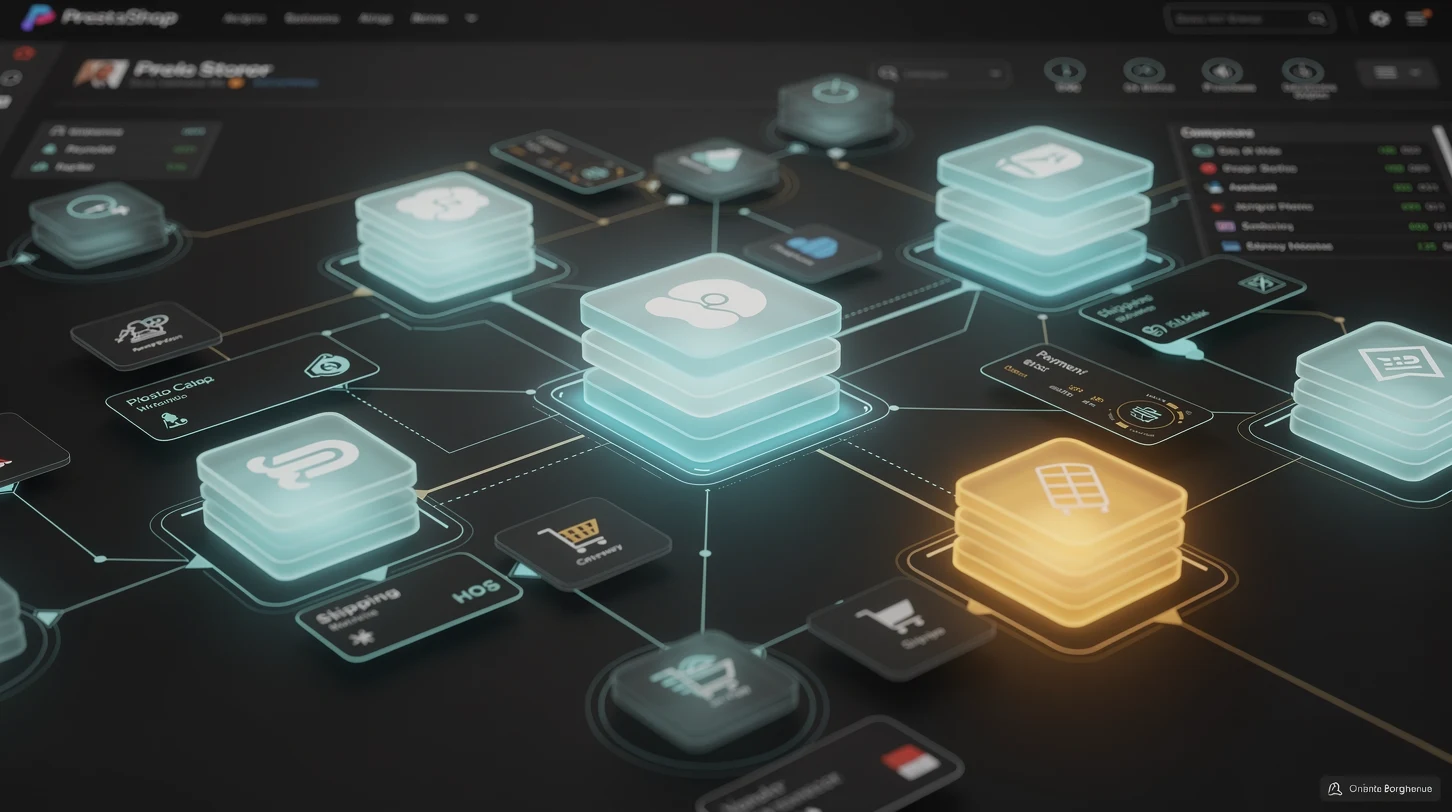
PrestaShop enters 2026 as one of the few open-source commerce platforms that still runs serious revenue without a per-transaction tax to a hosted vendor. That freedom comes with a cost: the platform ships lean, and the value you extract depends almost entirely on the tools and vendors you bolt around it. A stock install can take an order, but it will not fight fraud, sync a warehouse, pass a Core Web Vitals audit, or file EU VAT for you. Those jobs belong to the ecosystem.
This guide maps that ecosystem for US and international teams running or evaluating PrestaShop this year. It covers the tool categories that matter, the vendors worth a shortlist, and the buying mistakes that quietly drain budgets. If you are still deciding whether the platform fits at all, start with our pillar on how to choose the right e-commerce platform for your store, then come back here to build the stack.
In short
- The platform is the floor, not the stack. PrestaShop’s real capability in 2026 lives in modules, hosting, and third-party services, not the core download.
- Seven categories cover almost every need: modules, hosting and performance, payments and tax, marketing and SEO, catalog and PIM, operations and shipping, and monitoring.
- Vendor quality varies wildly. The official Addons marketplace, established agencies, and a handful of independent developers are safe; abandoned free modules are the top source of security and upgrade pain.
- Total cost of ownership hides in integrations. A cheap module that breaks on the next core update costs more than a supported one that never does.
- Evaluate vendors before features. Update cadence, PrestaShop 8 and 9 compatibility, and support responsiveness predict outcomes better than any feature checklist.
Why prestashop tooling matters more in 2026
Open-source commerce has always traded convenience for control. PrestaShop gives you the database, the templates, and the checkout, then steps back. In 2026 that trade has sharpened because the surrounding demands have grown faster than the core.
Payment regulation, tax compliance across the EU and US states, Core Web Vitals as a ranking input, and AI-driven merchandising are all now table stakes. None of them ship in a default PrestaShop install. Each is solved by a tool or a vendor, and the quality of that choice shows up directly in conversion rate, uptime, and audit results.
The platform’s move to PrestaShop 8, and the arrival of the 9.x line, also reset the compatibility clock. Modules written for the 1.6 or 1.7 era do not always survive the jump. That single fact reshapes tool selection this year: compatibility is no longer a footnote, it is the first filter.
The stack mindset beats the feature hunt
Teams that succeed with PrestaShop think in stacks, not features. They pick a hosting layer, a payments layer, a marketing layer, and an operations layer, then choose one strong vendor per layer. Teams that struggle chase individual modules for individual problems and end up with forty add-ons that conflict on every update.
The seven core categories of prestashop tools
Almost every PrestaShop tool falls into one of seven categories. Naming them makes budgeting and gap analysis far easier, because you can ask a simple question of each layer: do we have a supported vendor here, or a temporary hack?
| Category | What it does | Typical spend | Risk if skipped |
|---|---|---|---|
| Modules and add-ons | Extend catalog, checkout, and admin behavior | Free to $300 per module | Manual workarounds, staff time |
| Hosting and performance | Server, caching, CDN, uptime | $20 to $2,000 per month | Slow pages, lost sales, poor SEO |
| Payments and tax | Gateways, fraud, VAT and sales tax | Percentage of revenue | Failed checkouts, compliance fines |
| Marketing and SEO | Email, ads, structured data, analytics | $0 to $500 per month | Weak acquisition, poor visibility |
| Catalog and PIM | Product data, feeds, translations | $50 to $800 per month | Data errors, channel rejections |
| Operations and shipping | Orders, inventory, carriers, returns | $50 to $1,000 per month | Oversells, late shipments |
| Monitoring and security | Backups, uptime alerts, WAF, logs | $10 to $300 per month | Downtime, breaches, data loss |
The point of the table is not the exact numbers, which vary by scale, but the discipline. A store that can name a vendor for all seven rows is resilient. A store with blanks is one bad update away from a fire drill.
Modules and add-ons: the beating heart of the stack
Modules are where PrestaShop earns its reputation as flexible and, occasionally, fragile. The official PrestaShop Addons marketplace lists thousands, and independent developers sell many more. Choosing well here matters more than in any other category, because a bad module can touch the database, the checkout, and the theme all at once.
Our deeper guide to the best PrestaShop modules for a serious store walks through specific picks. At the category level, three rules keep you safe in 2026.
Buy support, not just code
A module is a relationship, not a download. The developer will need to patch it when PrestaShop 8 or 9 ships a security update. Free modules with no active maintainer are the single most common cause of upgrade paralysis. Paid modules from active vendors cost more upfront and far less over three years.
Check compatibility before the feature list
Every module page should state which PrestaShop versions it supports. In 2026 the safe minimum is native PrestaShop 8 compatibility, with a public roadmap toward 9.x. A module that only lists 1.7 support is a warning sign, not a bargain.
Limit the count on purpose
Each active module adds surface area for conflicts and slowdowns. Strong stores tend to run twenty to forty carefully chosen modules, not a hundred. When you evaluate a new one, ask whether it replaces two existing add-ons rather than adding a third.
Hosting, performance, and infrastructure vendors
PrestaShop is a PHP and MySQL application, and its speed is bounded by the server under it. In 2026, with Core Web Vitals firmly inside Google’s ranking signals, hosting is not a commodity choice. It is a marketing decision wearing an infrastructure costume.
We cover this in depth in PrestaShop hosting requirements without the vendor pitch. The short version: match the host to your traffic and your team’s operations skill, and never buy on price alone.
Managed PrestaShop hosts
Specialist hosts tune PHP-FPM, OPcache, and database settings for PrestaShop out of the box, and many offer staging environments and one-click backups. For teams without a systems engineer, the premium is usually worth it. The trade is less control and a higher monthly bill.
Cloud and VPS with a devops layer
Teams with technical staff often run PrestaShop on a tuned VPS or cloud instance, paired with a CDN and an object cache. This route is cheaper at scale and far more flexible, but the operational burden lands on you. Patching, backups, and scaling become internal jobs.
Performance tooling that pays for itself
A CDN, a full-page cache module, and image optimization are the three highest-return performance investments for most PrestaShop stores. Together they routinely cut largest contentful paint by half, which lifts both conversion and search rankings. For multi-store groups, review our guide to PrestaShop multistore explained for retail groups before you finalize the caching architecture, because shared caches behave differently across shops.
Payments, tax, and checkout tools
Checkout is where tooling choices convert directly into money. PrestaShop supports a wide range of gateways, but the defaults rarely cover fraud, alternative payment methods, and tax compliance in one package. That gap is filled by specialist vendors.
| Need | Vendor type | What to look for in 2026 |
|---|---|---|
| Card and wallet acceptance | Payment gateway | PrestaShop 8 module, local methods, transparent pricing |
| Buy now, pay later | BNPL provider | Native module, clear merchant fees, US and EU coverage |
| Fraud screening | Fraud tool | Machine-learning scoring, chargeback protection |
| Sales tax and VAT | Tax automation | US nexus rules, EU OSS filing, real-time rates |
| One-page checkout | Checkout module | Speed, mobile UX, guest checkout support |
Do not let the gateway dictate the checkout
A common mistake is accepting a clumsy checkout because it came bundled with a payment provider. In 2026, checkout UX is a conversion lever worth more than a small saving on transaction fees. Keep the two decisions separate, and choose a checkout module that puts guest purchase and mobile speed first.
Tax automation is no longer optional
US economic nexus rules and the EU’s One Stop Shop mean even mid-size stores face multi-jurisdiction tax obligations. Manual tax tables break the moment you sell across a state or national border. A tax automation vendor that plugs into PrestaShop and files returns removes a genuine compliance risk, not just an inconvenience.
Marketing, SEO, and analytics tools
Acquisition tools sit on top of the store rather than inside it, but they still integrate through modules and feeds. The 2026 shift here is toward first-party data and AI-assisted merchandising, both of which reward clean integration over flashy features.
SEO and structured data
PrestaShop handles URLs and meta fields natively, but rich results, sitemaps at scale, and canonical control usually need a dedicated SEO module. With AI search surfaces citing structured content more heavily, clean schema markup is now a visibility play, not a nicety.
Email, automation, and CRM
Abandoned-cart recovery, post-purchase flows, and segmentation drive a large share of repeat revenue. The best fit is a marketing platform with a maintained PrestaShop connector that syncs orders and customers in near real time, so your automations fire on accurate data.
Analytics that respect privacy
With third-party cookies fading and privacy regulation tightening, server-side and consent-aware analytics have moved from niche to normal. Choose an analytics stack that captures the events you need for merchandising decisions while staying compliant, rather than the one with the most dashboards.
Catalog, sourcing, and operations vendors
Behind every smooth storefront sits a supply chain and a data pipeline. For PrestaShop stores that scale, the tools that manage product data and inventory matter as much as anything customer-facing.
Product information management
Once a catalog passes a few thousand SKUs, spreadsheets stop scaling. A product information management layer centralizes descriptions, images, and attributes, then pushes clean data into PrestaShop and out to marketplaces. It also cuts the channel rejections that come from inconsistent product data.
Sourcing and supplier tools
Many PrestaShop merchants source from overseas suppliers, and the tooling around sourcing is easy to underrate. If you buy from large marketplaces, our playbook on sourcing from Alibaba without getting burned covers the vendor-vetting steps that protect margin and quality before a single unit ships.
Order, inventory, and shipping automation
An order management system that syncs stock across channels prevents the oversells that wreck reputation during peak season. Pair it with a shipping module that compares carrier rates and prints labels in bulk, and you remove two of the most common operational bottlenecks in a growing store.
Build versus buy versus agency
Every tooling decision eventually reduces to one question: do you build it, buy a module, or hire an agency to own it. The right answer depends on the strategic weight of the feature and the skills on your team.
| Approach | Best for | Upfront cost | Ongoing risk |
|---|---|---|---|
| Build in-house | Core differentiators, unusual logic | High developer time | Maintenance falls entirely on you |
| Buy a module | Common needs with mature vendors | Low to moderate license fee | Vendor abandonment, update lag |
| Hire an agency | Complex builds, small internal teams | High retainer or project fee | Lock-in, knowledge sits outside |
A practical rule works for most stores. Buy modules for anything a competitor also needs, build only where the feature is a genuine differentiator, and bring in an agency when the integration risk is high enough that a mistake would cost more than the retainer.
Where agencies earn their fee
Agencies pay off most on version migrations, performance rescues, and complex multi-store rollouts. These are the projects where a wrong turn is expensive and slow to undo, and where an experienced partner has already made the mistakes on someone else’s budget.
Common mistakes when buying prestashop tools
The pattern of failed tooling decisions is remarkably consistent across stores. Recognizing it early saves both money and weekends.
Optimizing for sticker price
The cheapest module is rarely the cheapest over three years. Abandoned free add-ons force emergency replacements at the worst moment, usually mid-migration. Weigh support cadence and compatibility history, not just the license fee.
Ignoring update compatibility
Buying a tool without checking its PrestaShop 8 and 9 roadmap is the fastest route to being stranded on an old, insecure version. Compatibility is not a feature you can add later; it is a prerequisite you verify first.
Stacking overlapping modules
Installing three SEO modules or two caching layers does not multiply benefits; it multiplies conflicts. Audit for overlap before every install, and remove what a new tool replaces.
Skipping staging
Testing a new module directly on the live store is a gamble that eventually fails publicly. A staging environment is cheap insurance, and any host or agency worth hiring provides one.
How to evaluate a vendor before you commit
Feature lists are marketing. Vendor behavior is signal. In 2026 the questions that predict a good outcome have little to do with the feature grid and everything to do with how the vendor operates.
The five questions that matter
- Update cadence. When did the module last ship a compatibility update? A gap of more than a year on an active platform is a red flag.
- Version support. Does it explicitly list PrestaShop 8, with a public path to 9.x?
- Support responsiveness. Test the support channel before you buy, not after. Response time now predicts response time during an outage.
- Documentation depth. Thin docs signal thin support. Good vendors document edge cases and upgrade steps.
- Reversibility. Can you uninstall cleanly without orphaned database tables? Ask, and check reviews for horror stories.
Run those five checks and you will filter out most of the tools that cause trouble later. The exercise takes an hour and saves quarters. When you weigh these vendor choices against the broader platform decision, our guide to choosing the right e-commerce platform puts the PrestaShop stack in context against hosted alternatives.
Planning tools around the PrestaShop 8 to 9 transition
The single biggest tooling variable in 2026 is version strategy. PrestaShop 8 is the mature, widely supported line, while the 9.x branch introduces a modernized architecture that not every module vendor has caught up to. Your tool choices should be made with the migration path in mind, not against a snapshot of today.
Choosing tools that already declare 9.x readiness protects you from a second migration project a year from now. It also filters your shortlist toward the vendors who invest in their products, which correlates strongly with better support and fewer surprises. Version readiness is, in effect, a proxy for vendor health.
Audit your current module estate first
Before buying anything new, list every installed module and mark each one as actively maintained, dormant, or abandoned. Dormant and abandoned modules are the ones that block a version upgrade, so they become replacement candidates regardless of how well they work today. This audit turns a vague upgrade fear into a concrete shopping list.
Favor vendors with a public roadmap
A vendor that publishes a compatibility roadmap is telling you it plans to be around for the next major version. That signal matters more than a marginal feature advantage from a quieter competitor. When two tools are close on capability, let roadmap transparency break the tie.
Stage the migration with the right tooling
A staging environment, a reliable backup module, and a database comparison tool turn a risky upgrade into a rehearsed one. Teams that invest in these three before a major migration recover from mistakes in minutes rather than losing a night of trading. The cost is trivial next to the downtime it prevents.
Measuring whether your tool stack is actually working
Buying tools is easy; proving they earn their place is the discipline that separates efficient stores from bloated ones. Every tool in the stack should map to a metric it is supposed to move, and that metric should be reviewed on a schedule.
Tie each layer to a number
Hosting and performance tools should show up in Core Web Vitals and page load time. Payment and checkout tools should move checkout completion rate. Marketing tools should move repeat purchase rate and cost per acquisition. If a tool cannot be tied to a number, question why it is in the budget at all.
Review the stack quarterly
A quarterly stack review catches the two silent budget leaks: tools that quietly stopped being used, and overlapping tools that solve the same problem twice. Cutting a redundant module is as valuable as adding a good one, and far cheaper. The review takes an hour and usually pays for itself in canceled subscriptions.
A 2026 shortlist by store stage
Tool needs change as a store grows. Matching the stack to the stage prevents both under-buying and the more common sin of over-buying enterprise tooling for a store that does not need it yet.
| Store stage | Priority tools | What to defer |
|---|---|---|
| Launch, under $250k revenue | Managed host, core payment gateway, SEO module, backups | PIM, full order management, agency retainer |
| Growth, $250k to $2m | Performance stack, tax automation, email automation, fraud tool | Custom builds, multi-store unless needed |
| Scale, over $2m | PIM, order management, agency partner, advanced analytics | Cheap unsupported modules of any kind |
The through-line is simple. Early stores buy stability and speed, growing stores buy compliance and automation, and scaled stores buy data discipline and expert help. Skipping stages tends to end badly in both directions.
The bottom line for 2026
PrestaShop rewards teams that treat tooling as an architecture, not a shopping trip. The platform gives you a strong, tax-free foundation, and the vendors you choose decide whether that foundation becomes a fast, compliant, resilient store or a fragile pile of add-ons.
Start by naming a supported vendor for each of the seven categories, then filter every candidate through version compatibility and vendor health before you look at features. Buy for the store stage you are in, not the one you imagine, and review the stack every quarter so it stays lean. Do that, and the ecosystem that makes PrestaShop feel demanding becomes the thing that makes it hard to beat.
Frequently asked questions
Are free PrestaShop modules safe to use in 2026?
Some are excellent, but the risk is maintenance rather than the code itself. A free module with no active developer will not get patched when PrestaShop ships a security update, which can strand your store on an insecure version. Free is fine when the maintainer is active and the module is popular; it is dangerous when the last update predates the current major version.
How many modules should a PrestaShop store run?
There is no hard cap, but well-run stores typically operate twenty to forty carefully chosen modules. Each additional module adds a small performance cost and a chance of conflict on updates. The goal is coverage of your seven tool categories with the fewest well-supported add-ons, not the largest collection of features.
Do I need specialist PrestaShop hosting, or will general hosting work?
General hosting can run PrestaShop, but specialist hosts tune PHP, caching, and database settings for it and usually provide staging and backups out of the box. For teams without a systems engineer, the specialist premium is normally worth it because performance directly affects both conversion and search rankings. Technical teams can achieve the same result on a tuned VPS at lower cost.
What is the biggest tooling mistake PrestaShop merchants make?
Buying on sticker price while ignoring update compatibility. A cheap or free module that breaks on the next core update costs far more in emergency replacement and lost sales than a supported one would have cost upfront. The fix is to check update cadence and PrestaShop 8 and 9 support before you look at the feature list.
Is tax automation really necessary for a mid-size store?
For most stores selling across state or national borders, yes. US economic nexus rules and the EU One Stop Shop create multi-jurisdiction obligations that manual tax tables cannot track accurately. A tax automation vendor that integrates with PrestaShop and files returns removes a real compliance risk, not just administrative work.
Should I build custom features or buy modules?
Buy modules for anything your competitors also need, and build only where a feature is a genuine differentiator for your store. Custom code gives control but shifts all future maintenance onto your team. Reserve in-house development for the unusual logic that no vendor sells and that actually sets you apart.
How do I know if a module is compatible with PrestaShop 9?
Check the vendor’s module page and changelog for explicit version support and a public roadmap. In 2026 the safe minimum is native PrestaShop 8 compatibility with a stated path to 9.x. If a module only lists 1.7 support and has not updated in over a year, treat it as end-of-life regardless of how appealing the features look.
When is it worth hiring a PrestaShop agency?
Agencies earn their fee on high-risk projects such as version migrations, performance rescues, and complex multi-store rollouts, where a mistake is expensive and slow to reverse. If your internal team is small and the integration risk is high, a specialist partner who has solved the same problem before is usually cheaper than the cost of getting it wrong.