
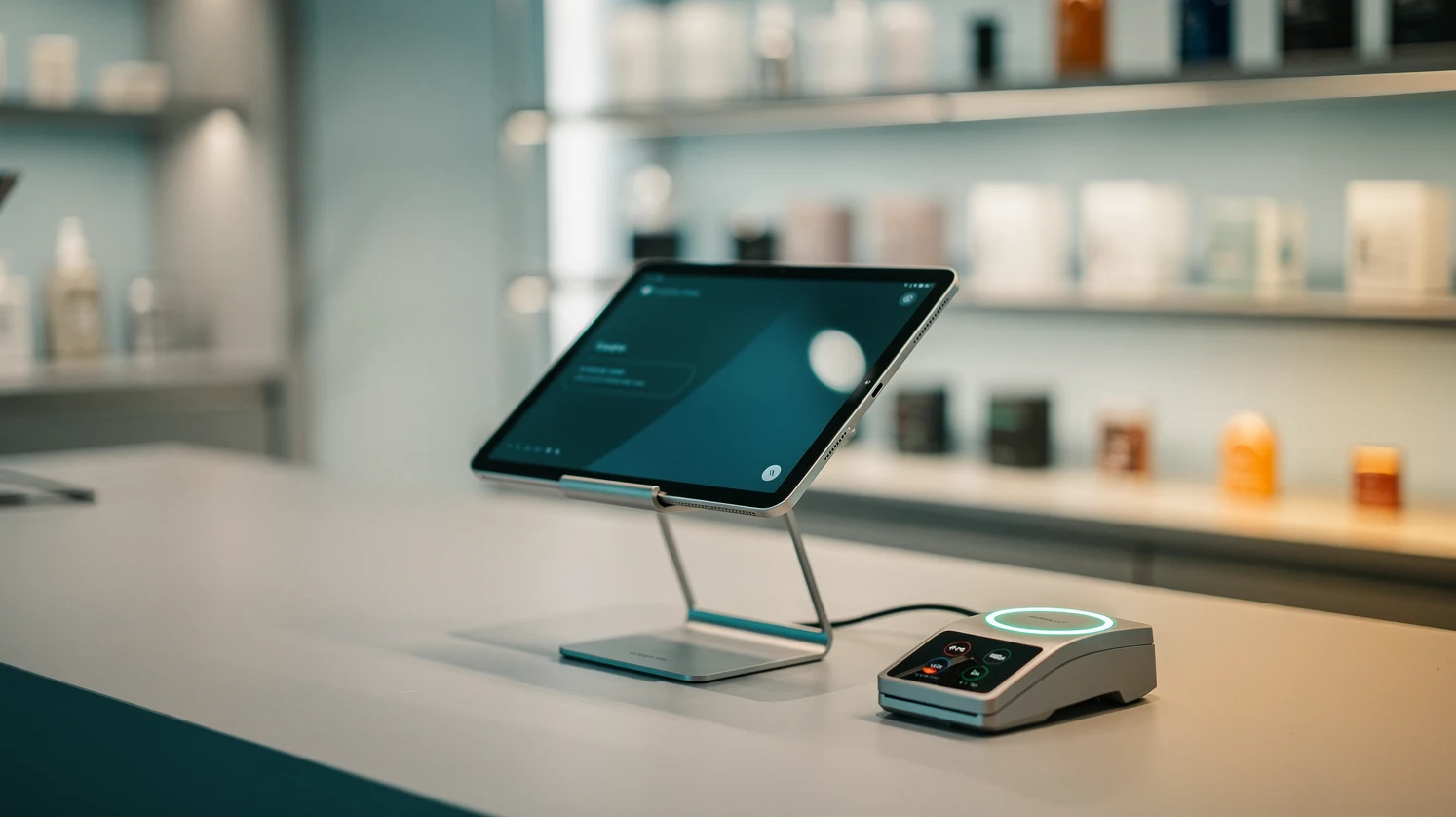
Point-of-sale software stopped being a cash register a long time ago. In 2026 the POS is the operational hub of a US retail business: it processes payments, tracks inventory across channels, captures customer data, feeds the loyalty program, and increasingly acts as the bridge between the physical store and the online storefront. Choosing the right stack of tools and vendors is now one of the highest-leverage decisions a retailer makes, because the POS touches revenue, margin, staffing and customer experience at the same time.
This guide breaks down the POS and in-store tech tools worth knowing in 2026, who they are built for, how they price, and where the integration traps sit. It is written for owners and operators of US retail businesses, from single-location specialty shops to regional multi-store chains, who need a practical shortlist rather than a marketing brochure. The focus is on what actually matters when money and inventory are on the line.
In short
- The POS is now the retail operating system. Modern platforms bundle payments, inventory, customer data and reporting, so the vendor choice shapes far more than checkout speed.
- Cloud-native, tablet-based systems dominate new deployments. Square, Shopify POS, Clover, Lightspeed and Toast cover most US use cases, each with a distinct sweet spot by store type and category.
- Payments and hardware are where hidden costs live. Processing rates, hardware lock-in and add-on module fees often matter more to total cost than the headline monthly subscription.
- Unified commerce is the real 2026 differentiator. The systems that win sync in-store and online inventory, orders and customers in one ledger, which is what makes buy-online-pickup-in-store and endless-aisle work.
- Pick by workflow, not by brand. A restaurant, a boutique, a hardware store and a pop-up have different needs, and the best tool is the one that matches your specific throughput, catalog size and integration list.
Why this topic matters in 2026
Two forces have made POS and in-store technology a boardroom-level topic rather than an IT afterthought. The first is the collapse of the line between online and offline retail. Shoppers research on a phone, buy in a store, return by mail, and expect the retailer to treat all of that as one relationship. A POS that cannot see the online order history is now a liability, not a neutral choice.
The second force is margin pressure. US retailers are absorbing higher labor costs, volatile freight, and card-processing fees that compound on every transaction. The right in-store tech reduces shrink, cuts checkout labor, and surfaces the data needed to price and merchandise more precisely. In that context, the POS stack is a margin lever, and a badly chosen one quietly bleeds points off the bottom line for years.
There is also a competitive dimension. The tooling that large chains built expensively in the 2010s (unified inventory, mobile checkout, self-service kiosks) is now available off the shelf to independents through the major platforms. A well-run single-location store can offer the same buy-online-pickup-in-store experience as a national brand, provided it picks a system built for that from the start. The gap between retailers is increasingly about execution on the tools, not access to them.
Finally, the payments layer underneath the POS is shifting fast. New rails, wallets and settlement models are entering US checkout, and the POS is where they land. Understanding how your system handles emerging methods matters, and it connects directly to the wider question of how retail payments are changing across cards, wallets and alternative rails.
Key terms and definitions
Before comparing vendors, it helps to fix the vocabulary. The POS market is full of overlapping terms, and salespeople use them loosely. Here are the concepts that actually change a buying decision.
Core system terms
POS software is the application that rings up sales, applies discounts, and records transactions. POS hardware is the physical layer: terminals, tablets, card readers, receipt printers, cash drawers and barcode scanners. Many vendors bundle both, and some lock the software to their own hardware, which is a cost and flexibility consideration.
Payment processing is the movement of money from the customer’s card or wallet to the retailer’s bank. Some POS vendors are also the processor (Square, Toast), while others let you choose a third-party processor. This distinction drives your effective rate and your leverage to negotiate.
Merchant category and interchange describe how card networks classify your business and set the base cost of accepting a card. Interchange is the wholesale cost; your processor adds a markup on top. Flat-rate pricing hides interchange inside a single percentage, while interchange-plus exposes it and usually costs less at scale.
Commerce architecture terms
Unified commerce means one system of record for inventory, orders and customers across all channels. It is stronger than omnichannel, which often just means multiple channels stitched together with nightly syncs. Unified commerce is real-time and single-ledger, and it is the property that makes advanced fulfillment reliable.
Endless aisle lets a store associate sell an item that is not physically in the store by pulling it from warehouse or online stock. Buy-online-pickup-in-store (BOPIS) and ship-from-store are the fulfillment patterns that unified commerce enables, and they depend entirely on accurate, shared inventory counts.
How modern POS and in-store tech actually works
A current retail tech stack is a set of layers, and understanding the layers is what stops you from overpaying for a bundle you will not use. At the base sits the transaction engine, the software that records every sale, refund and exchange. In cloud-native systems this engine lives in the vendor’s data center, and the in-store device is effectively a thin client that keeps working offline for a limited window if the connection drops.
Above the transaction engine sits the payments layer. The card reader captures the payment, an encryption and tokenization step protects the card data, and the processor routes the transaction to the networks. The quality of this layer determines your fraud exposure, your PCI compliance burden, and how smoothly new methods such as tap-to-pay on phones or wallet-based checkout work at your counter.
The third layer is data and operations: inventory management, purchasing, employee management, and reporting. This is where the differences between vendors get large. A restaurant system optimizes for table management and kitchen tickets, while a retail system optimizes for variant-heavy catalogs, matrix inventory (size and color), and supplier purchase orders. Buying the wrong archetype here is the most common and most expensive mistake.
The top layer is integration: the connections to accounting, e-commerce, marketing, loyalty and analytics. In 2026 the mark of a serious platform is a deep app marketplace and a documented API, because no single vendor does everything well. The practical skill is designing the store’s whole tech stack so the POS is the reliable center and specialist tools plug in around it, a discipline covered in our guide to how retailers should integrate POS with their e-commerce stack.
The main categories of tools and vendors worth knowing
The US POS market splits into a few clear categories. Matching your business to the right category first, then shortlisting inside it, is far more efficient than comparing every vendor against every other.
All-in-one SMB platforms
Square and Shopify POS anchor this category. They are designed for fast setup, transparent flat-rate payments, and minimal IT overhead. Square is the default for cash-light small retailers, service businesses and food trucks, with hardware that scales from a phone dongle to a full register. Shopify POS is the natural pick for brands that already sell online through Shopify and want one catalog and one inventory count across web and store.
Mid-market retail specialists
Lightspeed Retail and Clover serve businesses that have outgrown the simplest tools. Lightspeed is strong for inventory-heavy retail such as apparel, bike shops, jewelry and homeware, with deep purchasing and matrix inventory. Clover, distributed largely through banks and Fiserv, is a flexible mid-market workhorse with a broad app market, though its bank-driven distribution means pricing and support quality vary by reseller.
Hospitality and food-service systems
Toast dominates US restaurants, with hardware built for kitchens and workflows for tables, tipping and online ordering. If any meaningful share of your revenue is prepared food, a hospitality-first system will out-serve a general retail POS. This matters for grocery, convenience and mixed-format stores that blend retail and food.
Mobile and pop-up tools
For markets, pop-ups and events, the winning tool is a phone or tablet with a tap-to-pay reader and a lightweight app. Square and Shopify both do this well, and the economics differ sharply from a fixed register. The tradeoffs for temporary and small-footprint retail are laid out in our piece on mobile POS for pop-ups and small retailers.
Comparison: leading POS platforms for US retail
The table below compares the platforms most US retailers actually shortlist in 2026. Pricing is indicative of published entry tiers and typical flat processing rates; negotiated and interchange-plus rates differ at volume, and hardware is usually separate.
| Platform | Best for | Entry software (monthly) | Typical card rate (in-person) | Standout strength |
|---|---|---|---|---|
| Square | Small, cash-light retail and services | $0 (free tier) | ~2.6% + 15 cents | Fastest setup, no IT needed |
| Shopify POS | Online-first brands adding stores | From ~$89 (Retail plan add-on) | ~2.6% + 10 cents | One catalog across web and store |
| Lightspeed Retail | Inventory-heavy specialty retail | From ~$89 | ~2.6% + 10 cents | Deep purchasing and matrix inventory |
| Clover | Mid-market, bank-distributed | From ~$60 | Varies by reseller | Flexible hardware and app market |
| Toast | Restaurants and food service | From $0 (pay-as-you-go tier) | ~2.49% + 15 cents | Purpose-built for hospitality |
The pattern in the table is that entry price is a poor guide to total cost. A free software tier paired with a higher card rate can cost more than a paid subscription with a lower rate once monthly volume climbs. The right comparison is landed cost per year at your actual transaction mix, not the sticker on the monthly plan.
How to read processing rates
Flat-rate pricing (a single percentage plus a fixed cents charge) is simple and predictable, which suits lower-volume merchants. Once card volume passes roughly $25,000 a month, interchange-plus pricing usually saves money because you pay the true network cost plus a smaller fixed markup. Ask any vendor for an interchange-plus quote once you have real volume, and model both against a representative month.
Payments, hardware and peripherals
The hardware and payments layer is where the quoted price and the real price diverge most. Terminals, readers and peripherals carry upfront cost, and some vendors subsidize hardware in exchange for higher processing rates or multi-year contracts. Below is a practical map of the peripheral categories and what to weigh.
| Component | What it does | Typical cost range | Key consideration |
|---|---|---|---|
| Card reader / terminal | Accepts tap, chip and swipe | $50 to $800 | Locked vs open to other processors |
| Tablet or register stand | Runs the POS app | $150 to $700 | Proprietary vs standard iPad or Android |
| Receipt printer | Prints and, increasingly, e-receipts | $150 to $400 | Wired reliability vs wireless flexibility |
| Barcode scanner | Speeds catalog-heavy checkout | $100 to $350 | 1D vs 2D and QR support |
| Cash drawer | Secures cash tenders | $80 to $250 | Printer-driven vs USB trigger |
| Self-service kiosk | Customer-run checkout or ordering | $1,000 to $4,000+ | Throughput gain vs shrink and support |
Two decisions in this table carry outsized weight. The first is hardware lock-in: proprietary terminals that only work with one processor remove your ability to renegotiate rates later, which can cost far more than the hardware saved. The second is the emerging payments question. Tap-to-pay on a phone now removes the need for a dedicated reader in many small-format cases, and the counter is where new settlement methods such as wallet and account-to-account payments show up first, including the early stablecoin checkout pilots now reaching US merchants.
Contactless and mobile wallets are no longer optional. US consumers increasingly expect Apple Pay, Google Pay and tap-to-pay to work at every counter, and a system that handles them cleanly reduces checkout friction and abandoned in-line purchases. When you evaluate a terminal, test the wallet flow yourself rather than trusting the spec sheet.
Common mistakes and how to avoid them
Most POS regret traces back to a handful of avoidable errors. Knowing them in advance is the cheapest insurance available in this category.
Buying on monthly price alone
The headline subscription is a small fraction of total cost once you add processing fees, hardware, add-on modules and support tiers. A store doing $80,000 a month in card volume pays far more in processing than in software, so a lower rate can dwarf a higher subscription. Always model total annual cost at your real volume before signing.
Choosing the wrong archetype
A general retail POS forced to run a cafe, or a restaurant system forced to manage a 4,000-SKU apparel catalog, creates daily friction that no configuration fully fixes. Identify whether your business is retail-first, food-first or service-first, and buy the system built for that. Mixed-format stores should weight the archetype toward whichever revenue stream is harder to run.
Ignoring the integration list
Retailers often discover after purchase that the POS does not connect cleanly to their accounting software, e-commerce platform or loyalty tool. Write the integration list before shopping, confirm each connection is native or well-supported (not a fragile workaround), and treat a missing critical integration as a disqualifier rather than a project to solve later.
Underestimating staff training and change cost
A new POS changes daily workflows for every associate, and a rushed rollout produces slow lines, mis-rung sales and frustrated staff. Budget time for training, run the old and new systems in parallel for a short window if feasible, and pick a launch date well away from your peak season. The teams that plan the change manage it; the teams that treat it as a software swap struggle.
Examples from US retail and e-commerce
The abstract categories become clearer with concrete store profiles. Each of the following is a composite of how real US retailers in that segment approach the stack.
A single-location apparel boutique with 3,000 SKUs across sizes and colors leans toward Lightspeed Retail. The matrix inventory handles the variant explosion, the purchasing tools manage seasonal buys, and the integration to a Shopify or WooCommerce storefront keeps the small online channel in sync. The owner accepts a higher software cost because the alternative is hours of manual inventory reconciliation every week.
A fast-growing direct-to-consumer brand opening its first three physical stores standardizes on Shopify POS because the catalog, customers and inventory already live in Shopify. One system of record means a customer’s online and in-store history merge automatically, and staffing the new stores becomes a repeatable playbook rather than a fresh build each time. That operational discipline is part of the wider challenge of hiring the first ten roles at a scaling D2C brand, where the tech stack and the org chart have to grow together.
A neighborhood cafe with a small retail shelf of packaged goods runs Toast. The system is built for the food workflow that drives most revenue, and the packaged goods ring up as simple retail items on the same ticket. Trying to force this business onto a general retail POS would sacrifice the kitchen and tipping workflows that matter most.
A market-stall and pop-up seller runs Square on a phone with a tap-to-pay reader. There is no fixed register, no monthly software fee on the base tier, and the whole kit fits in a bag. The higher per-transaction rate is acceptable because volume is modest and setup cost is near zero, which is exactly the tradeoff mobile-first tools are designed for.
How to choose: a buyer’s shortlist by store type
The fastest path to a good decision is to start from your store type and work outward. The following shortlist maps common US retail profiles to a sensible starting point, which you then validate against your specific integration list and volume.
By business profile
Small cash-light shop or service business: start with Square. Online-first brand adding physical stores: start with Shopify POS. Inventory-heavy specialty retail: start with Lightspeed. Restaurant or food-led business: start with Toast. Mid-market retailer with a banking relationship that offers it: evaluate Clover alongside Lightspeed.
The evaluation checklist
Whatever your starting point, run every finalist through the same five questions. What is my total annual cost at real volume, including processing and hardware? Does it natively integrate with my accounting, e-commerce and loyalty tools? Does it match my business archetype without heavy workarounds? How does it handle unified inventory and BOPIS if I need them? And what is the exit cost, including hardware lock-in and contract length, if I want to leave in three years?
Answering those five questions with real numbers, rather than vendor claims, separates a decision you will still be happy with in 2029 from one you will quietly resent. The POS is a multi-year commitment embedded in daily operations, so the extra week of diligence pays back many times over. Where new payment methods are concerned, keep an eye on how your shortlisted system handles the shift toward merchant-controlled checkout, because that is where the next round of in-store and online convergence is heading. For a wider market view, the US Census Bureau publishes quarterly retail e-commerce data that helps size where in-store and online volume is trending.
Budget the whole first year, not just month one
A useful discipline is to build a simple first-year budget before committing to any vendor. Add the software subscription across twelve months, the one-time hardware purchase, the estimated processing fees at your projected card volume, any add-on module fees you will actually use, and a line for training and lost productivity during the switch. That single number, rather than the monthly headline, is the figure to compare across finalists.
It also pays to revisit the choice annually rather than treating it as permanent. Processing rates drift, new modules ship, and your volume mix changes as the store grows, so the system that fit at launch may not be the cheapest or the best two years later. Reading the POS decision as one part of the broader story of how retail payments are changing keeps the review honest, because the counter is where every shift in cards, wallets and alternative rails eventually shows up.
FAQ
What is the best POS system for a small US retail business in 2026?
For most small, cash-light retailers, Square is the strongest default because it has no base software fee, transparent flat-rate processing, and setup that needs no IT support. Inventory-heavy small retailers such as boutiques or specialty shops often do better with Lightspeed, and online-first brands should start with Shopify POS to keep one catalog across web and store.
How much does a POS system cost per month?
Software ranges from a free tier (Square, Toast pay-as-you-go) to roughly $60 to $200 a month for mid-market retail plans, before add-on modules. The larger cost is usually payment processing, typically around 2.5% to 2.7% plus a fixed cents charge per in-person transaction, which scales with your sales volume. Hardware is normally a separate upfront purchase.
What is the difference between flat-rate and interchange-plus pricing?
Flat-rate pricing charges one blended percentage plus a fixed fee on every card, which is simple and predictable and suits lower-volume merchants. Interchange-plus exposes the true network cost and adds a smaller fixed markup, which usually costs less once monthly card volume passes roughly $25,000. Ask for an interchange-plus quote once you know your real volume.
Do I need unified commerce, or is omnichannel enough?
If you sell both in-store and online and want buy-online-pickup-in-store, ship-from-store or endless aisle to work reliably, you need unified commerce, meaning one real-time system of record for inventory, orders and customers. Basic omnichannel setups that sync channels overnight tend to produce oversells and stock errors when demand moves fast.
Will my POS hardware lock me into one payment processor?
Sometimes, and it is a critical question to ask before buying. Proprietary terminals that only work with one processor remove your ability to renegotiate rates later, which can cost far more than any hardware discount. Open systems that accept standard tablets and multiple processors preserve your leverage, so confirm the lock-in position in writing.
Can one POS handle both a store and an e-commerce site?
Yes, and the cleanest way is a platform that treats both channels as one system of record. Shopify POS is the strongest example for brands already selling online, while Lightspeed and Square both offer solid store-plus-online setups. The key test is whether inventory and customer data are truly shared in real time rather than synced on a delay.
How long does it take to switch POS systems?
A single-location switch typically takes two to six weeks from decision to full rollout, covering data migration, hardware setup, integration testing and staff training. Multi-store chains take longer and usually roll out store by store. The biggest risk is scheduling the launch near a peak season, so plan the changeover for a quieter period.
Which POS is best for accepting mobile wallets and tap-to-pay?
All the major platforms (Square, Shopify POS, Clover, Lightspeed and Toast) support contactless cards, Apple Pay and Google Pay on current hardware, and Square and Shopify also offer tap-to-pay directly on a phone with no separate reader. Always test the wallet flow on the actual device before committing, because real-world speed and reliability vary more than spec sheets suggest.
What in-store tech gives the fastest payback for a small retailer?
For most small retailers the fastest payback comes from a POS with accurate real-time inventory, which cuts stockouts and overbuying, followed by contactless payment acceptance that speeds checkout and reduces abandoned in-line purchases. Self-service kiosks and advanced analytics pay off later and mainly at higher volume or specific formats.