
In short
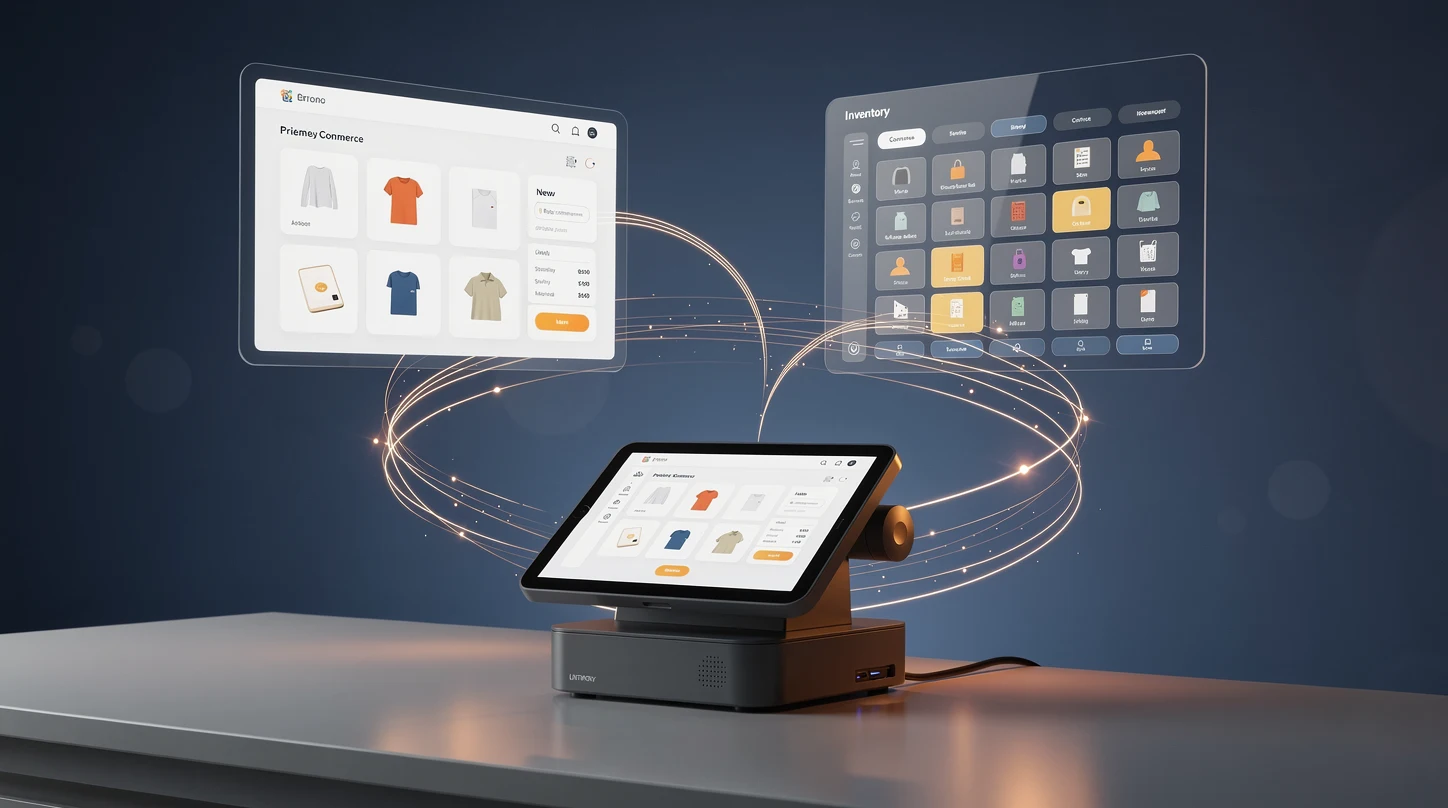
- POS and e-commerce integration means your in-store checkout and your online store share one source of truth for inventory, orders, customers and payments, instead of running as two disconnected systems.
- The payoff is real-time inventory accuracy, which is what makes buy online pick up in store, ship from store and endless aisle actually work without overselling.
- Most retailers do not need a full replatform. They need a middleware or native integration layer that keeps SKUs, pricing and stock in sync across channels.
- The biggest failures are not technical. They come from mismatched product data, unmapped SKUs and no owner for exceptions like partial returns and split shipments.
- Start with a 90-day scope: sync catalog and inventory first, then orders and customers, then loyalty and payments, and measure oversell rate and fulfillment cost per order at each step.
Retailers spent a decade building two separate machines. One runs the shop floor, tracks the till and moves physical stock. The other runs the website, the app and the checkout flow. For a long time nobody minded that they barely spoke to each other.
That tolerance is gone. Shoppers now treat a brand as one entity, and they expect to buy anywhere and collect or return anywhere. The retailers pulling ahead in 2026 are the ones that connected the point of sale to the e-commerce stack properly, so stock, orders and customer records flow as a single system. This guide walks through how to do that: what the terms mean, how the plumbing works, which mistakes sink projects, and which vendors are worth a shortlist.
Why integrating POS with e-commerce matters in 2026
The gap between physical and digital retail closed faster than most forecasts predicted. Store associates now fulfill online orders, and websites now quote in-store stock. When those two systems run on separate ledgers, every promise you make to a customer is a guess.
Inventory accuracy is the pressure point. If the website thinks you have twelve units and the store sold nine of them at the till this morning, you will oversell, cancel orders and erode trust. A connected system removes that lag, because a sale on the shop floor decrements the same stock pool the website reads from.
The cost of staying disconnected is easy to underestimate because it hides in a dozen small places. Canceled orders, safety stock held back from the website to avoid overselling, staff hours spent re-keying transactions, and refunds that finance cannot match all quietly tax the business. Add the lost sales from an item that was in the back room but invisible to the site, and the case for integration usually pays for itself well before the project is finished.
The financial case is straightforward. Fulfilling an online order from a nearby store is often cheaper and faster than shipping from a central warehouse, and it turns idle shelf stock into sellable inventory. None of that is possible if the POS cannot tell the e-commerce platform what is actually on the shelf.
There is also a data argument that compounds over time. A unified customer record, one that stitches a shopper’s in-store purchases to their online browsing and returns, is the foundation for loyalty, personalization and clean lifetime-value math. Retailers that keep those histories in separate silos are effectively throwing away their most valuable first-party data. For a fuller view of how payment methods and checkout expectations are shifting underneath all of this, see our guide on how retail payments are changing across cards, BNPL and crypto.
What integrating POS with your e-commerce stack actually means
The phrase gets used loosely, so it helps to be precise. Integration here does not mean buying one vendor’s all-in-one suite, although that is one route. It means establishing a reliable, near real-time exchange of data between whatever runs your tills and whatever runs your online store.
The four data domains that must sync
Every integration project comes down to keeping four domains consistent across channels. Get these right and most other features follow. Get them wrong and no amount of front-end polish will save you.
- Product and catalog data: SKUs, variants, descriptions, pricing and promotions, mapped so a product is the same product in both systems.
- Inventory: stock levels per location, updated close to real time, so both channels draw from an accurate picture of availability.
- Orders: a unified order record regardless of where the sale started, including in-store, online, curbside and app.
- Customers: one profile per shopper, linking purchase history, contact details and loyalty status across channels.
Source of truth and the direction of sync
A recurring design decision is which system owns each data domain. Many retailers let an enterprise resource planning system or an order management system own inventory and pricing, while the POS and e-commerce platform both read from and write to it. Deciding the direction of each sync, and what wins in a conflict, is the single most important architectural choice you will make.
Without a clear source of truth you get race conditions. The store lowers a price, the website lowers it differently, and a customer sees one number in the aisle and another in the app. Naming an authoritative owner for each field removes that ambiguity before it reaches a shopper.
How POS to e-commerce integration works in practice
Under the hood, integration is a set of data flows triggered by events. A sale, a return, a restock or a price change fires an update that propagates to the other systems. The quality of an integration is measured by how fast, reliable and complete those updates are.
APIs and webhooks versus batch files
Modern integrations lean on APIs and webhooks. When a transaction happens, the originating system emits an event, and connected systems react within seconds. This near real-time flow is what keeps inventory trustworthy during busy trading hours.
Older or budget setups still rely on scheduled batch files, where systems exchange a full data dump every few hours or overnight. Batch is simpler and cheaper, but the lag is dangerous for fast-moving stock. A store that syncs inventory only at midnight will oversell popular items all day during a promotion.
Middleware and integration platforms
Rather than wiring every system directly to every other system, most retailers put a middleware layer in the middle. This integration platform, sometimes called an iPaaS, translates between systems, handles retries when a call fails, and gives you one place to monitor the flows. It also means swapping out a POS or e-commerce platform later does not force you to rebuild every connection.
The alternative, point-to-point integration, works for a two-system setup but becomes a tangle as you add a warehouse system, a loyalty tool and a marketplace feed. Each new connection multiplies the number of links you have to maintain. Middleware trades a little upfront cost for far lower long-term maintenance.
Handling the exceptions
The happy path is easy. The value of a mature integration shows up in the exceptions: a partial return of a multi-item order, a shipment split across two stores, a refund to a payment method that is no longer on file. These edge cases are where naive projects break.
Each exception needs a defined owner and a defined rule. Who adjusts inventory when a customer returns an online purchase to a store? How does a split shipment reconcile against the original order record? Writing these rules down before you build, rather than discovering them in production, is what separates a smooth launch from a support backlog.
Payments and reconciliation across channels
Payments are the flow retailers most often forget to plan for. A sale that starts online and completes in store, or a refund issued at a till for a web order, has to reconcile cleanly against a single order record and a single finance ledger. When the POS and the e-commerce platform settle payments separately, finance ends up matching transactions by hand at month end.
The fix is to treat payment status as another synced field, tied to the unified order. Authorizations, captures, partial refunds and chargebacks should all update the same record, whatever channel triggered them. This is also where tokenized cards and stored payment methods matter, because a shopper expects the card they saved online to work for a phone order or an in-store return.
Integration patterns: which architecture fits your business
There is no single correct architecture. The right pattern depends on your size, your existing systems and your appetite for engineering work. The table below compares the four approaches retailers most commonly choose.
| Pattern | Best for | Sync speed | Upside | Downside |
|---|---|---|---|---|
| Native all-in-one platform | Small to mid retailers starting fresh | Real time | Single vendor, low integration effort, one dashboard | Feature ceilings, harder to swap parts, vendor lock-in |
| Middleware or iPaaS layer | Mid to large retailers with mixed systems | Near real time | Flexible, resilient, easy to add systems later | Ongoing platform cost, needs monitoring and ownership |
| Point-to-point API integration | Two-system setups with light complexity | Near real time | Cheap for a small footprint, direct control | Fragile and unmanageable as systems multiply |
| Scheduled batch sync | Low-volume or legacy environments | Delayed (hours) | Simple, inexpensive, low technical bar | Stale inventory, oversell risk, poor customer experience |
Most growing retailers land on middleware because it protects the investment. You can replace your POS or website in three years without unpicking every integration, and you can bolt on a marketplace or a warehouse system without a rebuild. The all-in-one route is genuinely attractive for smaller operators who value simplicity over flexibility.
Common mistakes and how to avoid them
Integration projects rarely fail on the technology. They fail on data hygiene, scope and ownership. These are the recurring traps and the practical way around each one.
Dirty and unmapped product data
The most common killer is inconsistent product data. The same shirt is SKU-4471 in the POS and BLU-SHIRT-M on the website, and the two systems never agree on what they are looking at. Before any sync goes live, run a data audit and build a clean SKU mapping so every product has one canonical identity.
This work is tedious and always underestimated. Duplicate records, missing variants and inconsistent units of measure surface only when you try to reconcile them. Budget real time for a catalog cleanup, because the integration is only as trustworthy as the data flowing through it.
Treating inventory as a nice-to-have
Some teams launch order sync first because it demos well, then bolt on inventory later. That is backwards. Inaccurate stock is the fastest way to break customer trust, so real-time inventory should be the first thing you get right. Our breakdown of in-store tech beyond POS, from scanners and scales to kiosks and screens covers the shop-floor hardware that keeps that stock count honest.
No owner for exceptions
When a partial return or a split shipment goes wrong, someone has to fix it. If no team owns exception handling, small errors accumulate into a reconciliation nightmare and a frustrated finance department. Assign a clear owner and monitoring for the exception queue from day one.
Big-bang launches
Trying to connect every system and every store in one release is a recipe for a chaotic go-live. Phase it. Sync catalog and inventory first, prove it in a pilot store or a single region, then expand. A staged rollout lets you catch problems while they are cheap.
Examples from US retail and e-commerce
The theory is easier to trust when you can see it running. Across US retail, the same handful of connected-commerce capabilities keep showing up, and each one depends on a solid POS to e-commerce link.
Buy online, pick up in store is the most visible example. When a shopper orders on the website and collects at a store an hour later, the website must know that specific location has the item, reserve it, and tell the store team to pick it. That entire loop runs on real-time inventory shared between the online platform and the store system.
Ship from store turns every location into a mini fulfillment center. A regional chain can route an online order to whichever store is closest to the customer and has the stock, cutting delivery times and shipping cost. This only works if the e-commerce platform sees per-store inventory, which is exactly what the integration provides.
Endless aisle solves the out-of-stock moment on the shop floor. When a store is out of a size, an associate uses a connected POS or tablet to order it from another location or the warehouse and ship it to the customer’s home, saving a sale that would otherwise walk out the door. Self-service checkout adds another wrinkle here, and our analysis of when self-checkout pays off and when it hurts store morale is worth reading alongside this. For US retailers weighing the scale of this shift, the Census Bureau’s monthly retail trade data shows just how large the online-plus-store overlap has become.
Returns are the example that exposes weak integrations fastest. A customer who bought online and walks into a store to return an item expects the associate to find the order, process the refund and put the unit back into sellable stock in one motion. If the two systems are not connected, the associate cannot see the web order, the refund lands in a separate ledger, and the returned unit sits invisible to the website until someone re-keys it. A connected stack turns that painful moment into a routine one, and it recovers inventory that would otherwise be stranded.
Loyalty is the quieter payoff. When a shopper earns points in store and redeems them online, or when their entire cross-channel history feeds a single profile, the retailer can personalize offers and measure real lifetime value. That unified view is only possible once the customer domain is genuinely shared rather than duplicated, and it is often the feature that finally justifies the integration budget to a finance team.
Tools, partners and vendors worth knowing
You do not have to build any of this from scratch. A mature ecosystem of platforms, middleware and specialists exists to connect POS and e-commerce. The table below groups the categories you will evaluate, with the questions each one should answer.
| Category | What it does | Key evaluation question |
|---|---|---|
| Unified commerce platforms | POS and e-commerce from one vendor, natively synced | Does the native feature set cover my edge cases, or will I hit a ceiling? |
| E-commerce platforms with POS add-ons | An online store that extends into physical retail hardware | Is the in-store experience a first-class product or an afterthought? |
| Order management systems (OMS) | The routing brain for inventory and fulfillment across locations | Can it handle my order volume and my fulfillment rules? |
| Middleware and iPaaS | The translation and reliability layer between systems | Does it have prebuilt connectors for my exact stack? |
| Integration specialists and agencies | Hands-on implementation and custom connector work | Have they shipped a project of my size and complexity before? |
When you shortlist vendors, weight prebuilt connectors heavily. A platform that already integrates with your specific POS and your specific e-commerce system will save months over one that promises a custom build. Ask for reference customers on the same stack, and ask how they handle the exceptions, not just the happy path.
Cross-border sellers have an extra layer to consider, because tax, currency and fulfillment rules multiply per market. If international expansion is on your roadmap, our guide to scaling D2C internationally without losing your margin covers how the operational stack has to flex. Payment method coverage is part of that same decision, and the shift toward consolidation among European BNPL providers is a reminder that the checkout side of your stack is moving too.
A practical 90-day integration playbook
You do not need a two-year program to see results. A focused quarter can deliver a working, trustworthy integration for a defined scope. Here is a sequence that keeps risk low and momentum high.
Days 1 to 30: foundation and data
Start by naming the source of truth for each data domain and auditing your product catalog. Build the SKU mapping, clean the duplicates, and agree the conflict rules on paper. This unglamorous month is where the project is actually won or lost.
Days 31 to 60: catalog and inventory sync
Connect catalog and inventory first, and prove it in a single pilot store or region. Watch the oversell rate obsessively, because it is the clearest signal that the sync is healthy. Do not expand until the pilot inventory numbers hold under real trading conditions.
Days 61 to 90: orders, customers and rollout
Layer in unified orders and the single customer profile, then extend to loyalty and payment reconciliation. Only now do you roll the integration out to more stores, using the pilot as your template. Keep the exception queue monitored and owned throughout, because that is where the late surprises hide.
Throughout the quarter, track two numbers above all others: oversell rate and fulfillment cost per order. If oversell is falling and cost per order is dropping as store fulfillment ramps, the integration is doing its job. Both metrics tie directly back to the broader payments and checkout picture in our retail payments guide, which is worth revisiting once the plumbing is in place.
FAQ: POS and e-commerce integration questions worth answering
Do I need to replace my current POS to integrate with e-commerce?
Usually no. If your POS has a modern API or a prebuilt connector to your e-commerce platform, you can integrate without replacing it. You only need to replace a POS when it is too old to expose data through an API, which forces you into fragile screen-scraping or manual exports.
What is the difference between POS integration and a unified commerce platform?
Integration connects separate best-of-breed systems so they share data. A unified commerce platform is a single vendor that builds the POS and e-commerce together, so they are synced natively out of the box. Integration offers more flexibility and choice, while a unified platform offers simplicity at the cost of some flexibility.
How long does a POS to e-commerce integration take?
A focused project on a clean catalog can reach a working state in about 90 days for a defined scope. Complex enterprise environments with many stores, legacy systems and messy data can take six to twelve months. The single biggest variable is the state of your product data before you start.
What does real-time inventory actually require?
It requires event-driven sync, using APIs and webhooks rather than scheduled batch files. Every sale, return and restock has to emit an update that reaches the other systems within seconds. Batch syncing on an hourly or nightly schedule cannot deliver genuine real-time accuracy during busy trading.
What is middleware and do I really need it?
Middleware, or an iPaaS, is a layer that sits between your systems, translating data and handling retries when a connection fails. You need it once you have more than two systems to connect, because direct point-to-point links become unmanageable as you add a warehouse system, loyalty tool or marketplace feed. For a simple two-system setup you can start without it.
Which data should I sync first?
Catalog and inventory, in that order. Product data must be clean and mapped before anything else can flow reliably, and inventory accuracy is the capability that protects customer trust. Orders, customers, loyalty and payment reconciliation come after that foundation is solid.
How do I avoid overselling during a promotion?
Move to near real-time inventory sync and name a single source of truth for stock levels. Overselling almost always traces back to lag, where the website and the till are working from different numbers. During high-traffic promotions the cost of a stale batch sync shows up immediately as canceled orders.
Can a small retailer afford this?
Yes, and the entry point is a native all-in-one platform or an e-commerce system with a POS add-on. These bundle the integration into a single subscription, so a small operator gets connected inventory and unified orders without a custom engineering project. Middleware and custom builds become worthwhile as you grow into a more complex, multi-system stack. The key is to match the tool to your current stage rather than buying for a scale you have not reached yet.
Who should own the integration internally?
It needs a business owner, not just a technical one. Someone has to own the exception rules, the conflict decisions and the metrics like oversell rate and fulfillment cost. Projects that are treated as pure IT work tend to miss the operational rules that make or break the launch.
What to read next
POS to e-commerce integration is one pillar of a modern retail stack, and it connects directly to how you take payment, staff your stores and expand into new markets. To go deeper, start with our overview of how retail payments are changing across cards, BNPL and crypto, then look at the shop-floor hardware in in-store tech beyond POS. If growth is the goal, our guide to scaling D2C internationally shows how the connected stack has to stretch across borders.