
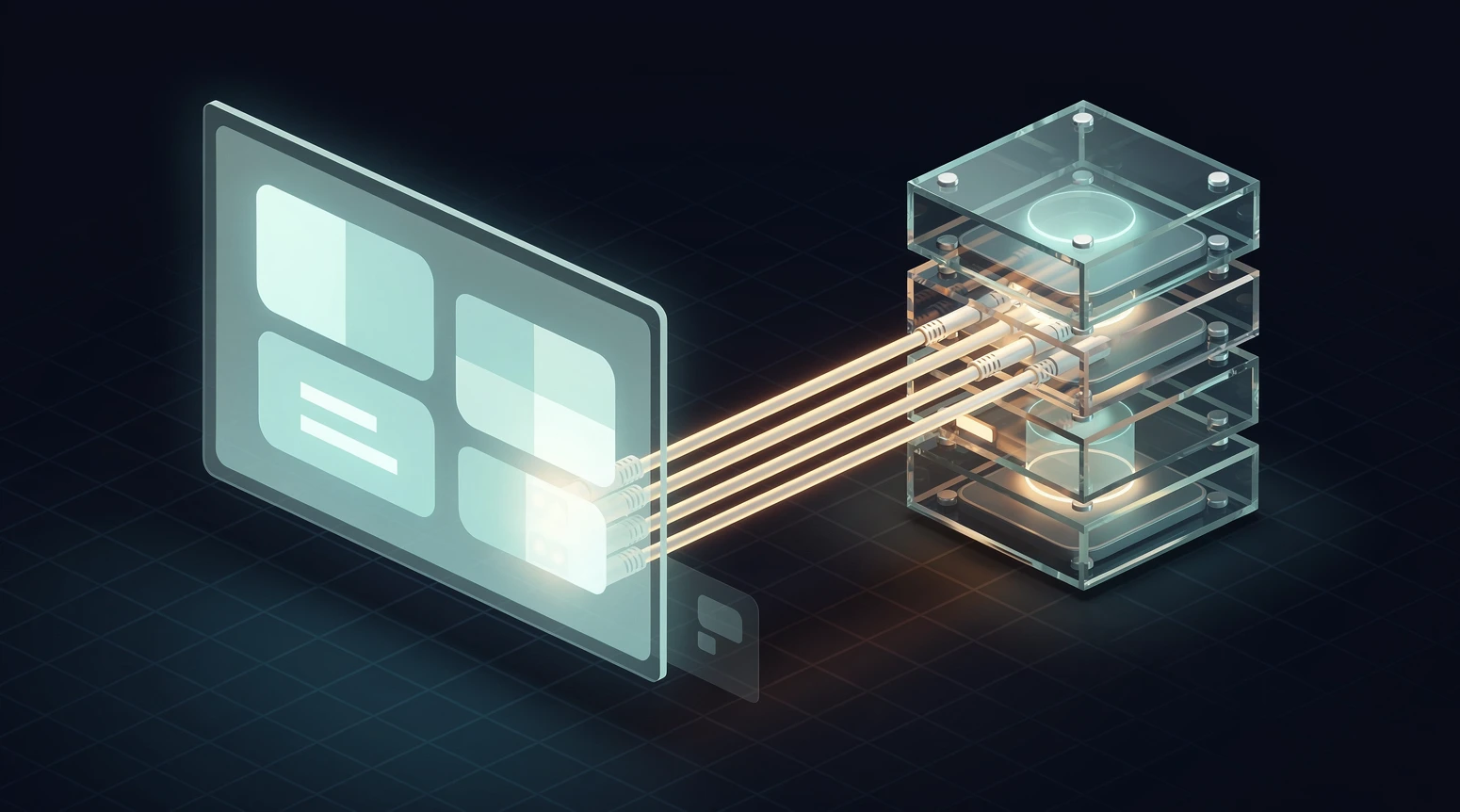
Few phrases in retail technology have been stretched further than “headless commerce.” Vendors use it to sell platform migrations, agencies use it to justify six-figure builds, and conference speakers use it to imply that anyone still running a traditional store is falling behind. Strip away the pitch decks, and headless commerce is a specific architectural choice with real tradeoffs, not a universal upgrade.
This guide explains what headless commerce actually is, how it works, when it earns its cost, and when it quietly drains a budget with no return. It is written for the people who have to live with the decision: merchandisers, engineering leads, and the finance partner asking why the replatform costs as much as a warehouse lease. If you are still mapping the wider platform landscape, our guide on how to choose the right e-commerce platform sets the context this article drills into.
In short
- Headless commerce separates the customer-facing front end from the commerce engine that handles catalog, cart, checkout, and orders, connecting them through APIs.
- The main payoff is front-end freedom: you can build any storefront experience, on any device, without waiting on the constraints of a monolithic theme system.
- The main cost is engineering ownership: you now maintain a custom front end, a build pipeline, and the integration glue that a traditional platform gave you for free.
- Headless pays off for retailers with real complexity: multiple storefronts, high traffic, unusual customer journeys, or performance requirements a template cannot meet.
- For most small and mid-market stores, a well-tuned monolithic platform ships faster, costs less, and performs perfectly well; headless is a solution to problems those stores rarely have.
Why headless commerce matters in 2026
The reason headless keeps coming up is that shopping stopped happening in one place. A single customer might discover a product in a mobile app, compare prices on a review site, add to cart from a marketing email, and complete checkout on a smart TV or a voice assistant. Each of those surfaces wants a different front end, but all of them need to hit the same catalog, pricing, and inventory truth.
Traditional commerce platforms were built when the web store was the store. The presentation layer and the commerce logic shipped as one bundle, which made simple stores fast to launch and hard to bend. When a brand needs the same product data to appear identically across a web app, a native mobile app, and an in-store kiosk, that bundling becomes the bottleneck.
Headless answers that pressure by treating the commerce engine as a service and the storefront as a separate application that consumes it. The idea is not new, but tooling in 2026 has made it cheaper to adopt than it was even three years ago. Managed front-end hosting, component libraries, and API-first platforms have removed a lot of the plumbing that used to make headless a specialist-only project.
That said, cheaper does not mean free, and the industry has a habit of selling the ceiling while ignoring the floor. The honest version of the story is that headless expanded the range of what retailers can build while raising the minimum team and budget needed to run it well.
What headless commerce actually means
At its core, “headless” describes a system whose “head,” the presentation layer that a customer sees, has been removed from the “body,” the back-end services that do the commerce work. The two halves talk over an application programming interface, or API, rather than being welded together in one codebase. That single separation is the whole idea; everything else is a consequence of it.
The front end, or presentation layer
The front end is everything the shopper experiences: the product pages, the category grids, the search box, the cart drawer, the checkout flow. In a headless setup, this is a custom application, often built with a modern JavaScript framework, that fetches data and sends commands to the commerce engine. Because it is decoupled, the same commerce engine can power a website today and a mobile app tomorrow without duplicating the business logic.
The back end, or commerce engine
The back end holds the parts that must stay consistent no matter where a sale happens: the product catalog, pricing rules, promotions, inventory, cart state, checkout, tax, and order management. In headless architecture, these functions expose their capabilities as APIs so any front end can call them. The engine does not care whether the request came from a browser, an app, or a partner system, which is exactly the flexibility retailers are paying for.
The API layer that connects them
Between the two sits the contract that makes headless work: a set of well-documented endpoints the front end calls to read catalog data or write a cart. Modern platforms expose these through REST or GraphQL, and the quality of that API layer largely determines how pleasant the build will be. A clean, fast, well-versioned API turns headless into a productive setup; a slow or inconsistent one turns it into a maintenance tax.
Headless, composable, and MACH
These three words travel together and get muddled constantly. Headless is the narrow idea of splitting front end from back end. Composable commerce is the broader practice of assembling a stack from multiple best-of-breed services, each handling one job, rather than buying one suite that does everything. Our deeper look at composable commerce versus headless untangles where they overlap and where they genuinely differ.
MACH, meanwhile, is an acronym for Microservices, API-first, Cloud-native, and Headless, a marketing umbrella for the composable approach. You can be headless without being composable, and you can adopt one composable service without rebuilding your whole stack. Treat these as a spectrum of decisions rather than an all-or-nothing badge.
How headless commerce works in practice
Picture a shopper loading a product page. In a monolithic store, the server renders the whole page, commerce logic and HTML together, and sends it back in one response. In a headless store, the front-end application requests just the data it needs, the product details, price, and stock, then assembles the page itself, often rendering ahead of time for speed.
When that shopper adds an item to the cart, the front end sends an API call to the commerce engine, which updates the cart and returns the new state. Checkout follows the same pattern: the front end collects the inputs and calls the engine’s checkout and payment services in sequence. The customer sees a seamless flow; underneath, it is a conversation between two separate systems.
This is why headless teams talk so much about the build and deploy pipeline. Because the storefront is its own application, someone has to host it, build it when code changes, and cache it so pages stay fast. That operational layer is the part vendors gloss over and the part that decides whether a headless project feels smooth or fragile.
Rendering choices that shape performance
Headless front ends usually choose between server-side rendering, static generation, and client-side rendering, and the choice matters for both speed and search visibility. Static generation pre-builds pages for blistering load times but needs rebuilds when data changes. Server-side rendering keeps content fresh at the cost of server work per request, and most real stores blend the two based on how often each page changes.
The practical rule is to match the rendering strategy to the volatility of the data. Product and category pages that change occasionally suit static generation with on-demand rebuilds, while cart, account, and search results that change per visitor lean on server or client rendering. Getting that mapping right is where a good headless team spends its early effort, because it sets the ceiling on both speed and hosting cost.
Headless versus traditional monolithic commerce
The clearest way to judge headless is to line it up against the monolithic model it replaces. Neither is universally better; they optimize for different things. The table below compares them across the dimensions that actually drive the decision, and our breakdown of headless versus monolithic Shopify puts real numbers behind these tradeoffs.
| Dimension | Monolithic platform | Headless architecture |
|---|---|---|
| Time to launch | Days to weeks with a theme | Weeks to months with a custom build |
| Front-end flexibility | Constrained by theme system | Effectively unlimited |
| Multi-channel reach | Web-first, apps are add-ons | One engine feeds web, app, kiosk, IoT |
| Engineering ownership | Low, platform handles most of it | High, you own the storefront and pipeline |
| Ongoing cost | Predictable subscription | Subscription plus development and hosting |
| Performance ceiling | Good, capped by shared rendering | Very high, tunable per page |
| Best fit | Small to mid-market, standard journeys | Complex, high-traffic, multi-surface brands |
Read the table as a set of priorities, not a scoreboard. If speed to market and low overhead top your list, the monolithic column wins by a wide margin. If differentiated experience and channel reach top your list, and you can staff the work, the headless column earns its complexity.
The real costs and tradeoffs of going headless
The seductive part of headless is the flexibility. The part that ends projects early is the cost of owning that flexibility. Every capability a monolithic platform handled invisibly becomes something your team now has to build, integrate, or buy.
You inherit the front end you used to rent
On a traditional platform, the storefront, its theme, its checkout, its accessibility, and its browser support come maintained by the vendor. Go headless and that becomes your codebase to secure, update, and keep fast. That is real, recurring engineering work, not a one-time build cost, and it does not appear on the sticker price.
Integrations that were bundled now need wiring
Search, reviews, loyalty, tax calculation, and content management often ship pre-integrated in a monolithic suite. In a composable headless stack, each is a separate service you connect, monitor, and reconcile. The flexibility to pick the best tool for each job is genuine, but so is the burden of keeping a dozen contracts talking to each other.
Performance is a gift you can drop
Headless can produce spectacularly fast stores, but only if the team makes the right rendering and caching choices. A poorly configured headless front end can be slower than the monolith it replaced, because the theoretical ceiling means nothing if nobody tunes the build. Speed is available, not automatic.
Common mistakes and how to avoid them
Most headless disappointments trace back to a handful of predictable errors. They are avoidable, but only if a team names them before signing the statement of work rather than after the budget is gone.
Going headless to solve a problem you do not have
The most expensive mistake is adopting headless because it sounds modern, not because a limitation forced it. If your current store loads fast, converts well, and sells through one channel, headless adds cost without solving anything. Write down the specific constraint you are trying to escape; if you cannot, you are not ready to go headless.
Underestimating the team you need to run it
Headless is not a project you finish; it is a system you operate. Brands routinely budget for the build and forget the ongoing front-end engineering, and the storefront then rots as frameworks age and nobody owns updates. Staff for maintenance from day one, or plan to pay an agency a retainer that reflects it.
Treating SEO and accessibility as afterthoughts
A custom front end has to earn the search visibility and accessibility that platforms provide by default. If rendering, metadata, structured data, and keyboard support are not designed in, a headless store can quietly lose organic traffic it used to take for granted. Bake these into the build spec, and test them before launch rather than after rankings drop.
Picking best-of-breed services no one integrates
Composable stacks fail when teams choose brilliant individual tools with no plan for how they fit together. The value is in the seams, and the seams are where projects break. Before adding a service, decide who owns the integration and how you will monitor it, or the flexibility becomes fragility.
Examples from US retail and e-commerce
Headless earns its keep most clearly among large US retailers that outgrew what a template could express. Big-box and specialty chains with tens of thousands of products, multiple regional experiences, and native apps use headless to keep one commerce engine feeding many surfaces. For them, the maintenance burden is small relative to the revenue those channels move.
Digitally native brands are another common adopter, particularly those whose storefront experience is part of the product. When a brand’s differentiation is a highly interactive, richly designed shopping experience, the front-end freedom of headless is the whole point. These teams already employ engineers, so owning the storefront fits their operating model.
The pattern breaks down for the long tail of US small and mid-market stores. A regional apparel shop selling a few hundred products through one website gains nothing from decoupling and loses the speed of a maintained theme. The same logic applies to marketplace-driven sellers; a store leaning on curated supplier catalogs, like those covered in our guide to tools and vendors for AliExpress in 2026, is better served by a platform that handles the plumbing.
The broader context is that e-commerce keeps growing as a share of total US retail sales, which the US Census Bureau tracks quarterly, but that growth does not automatically call for headless. Rising online sales raise the payoff of a great storefront; they do not change the fact that a great storefront can be monolithic.
Tools, partners and vendors worth knowing
The headless ecosystem splits into a few categories, and understanding the roles helps you avoid buying overlapping tools. You typically assemble a commerce engine, a front-end framework or hosting layer, and a set of supporting services. The table below maps the categories to what they do and when you actually need each one.
| Category | What it does | When you need it |
|---|---|---|
| API-first commerce engine | Catalog, cart, checkout, orders as APIs | Always, it is the core of a headless stack |
| Front-end framework and hosting | Builds and serves the custom storefront | Always, this is the “head” you now own |
| Headless CMS | Manages editorial and marketing content | When content and commerce blend heavily |
| Search and discovery service | Fast, relevant product search and filtering | At mid to large catalog sizes |
| Integration or orchestration layer | Connects and monitors the services | When the stack exceeds a few services |
| Digital experience composer | Lets merchandisers build pages without code | When non-engineers must own the storefront |
The most common regret is buying too many specialized services too early. Start with the commerce engine and front end, prove the model on one surface, then add services only when a concrete need appears. Our overview of composable commerce stacks retailers actually assemble shows what a sensible starting configuration looks like in the wild.
When evaluating vendors, weigh the quality of the API and the documentation as heavily as the feature list. A platform with fewer features and an excellent, stable API will cost you less over three years than a feature-rich one whose endpoints change under you. The developer experience is the product in headless, even though it never appears in the marketing.
Signs your store has genuinely outgrown a monolithic platform
Because the wrong reasons to go headless are so common, it helps to name the right ones concretely. These are the signals that a decoupled architecture is solving a real limitation rather than chasing a trend. If several of them describe your business, the investment starts to make financial sense.
- You are running, or need to run, more than one storefront from a single catalog, such as separate regional or brand experiences that share inventory.
- A native mobile app or a non-web surface, like a kiosk or connected device, needs the same commerce data as your website in real time.
- Your theme system physically cannot express the storefront experience your brand or conversion goals require, and you have hit that wall repeatedly.
- Traffic spikes during peak events strain your current rendering, and you need page-level control over performance and caching.
- You already employ or contract engineers who can own a storefront application, so the maintenance burden fits your operating model.
Notice that every item on that list is a specific constraint, not a vague ambition to modernize. A single yes is rarely enough to justify the switch, but three or four together usually means the monolithic model is now costing you more than headless would. When the signals are absent, the smarter move is to tune the platform you have rather than replace it.
The counter-signal is equally useful: if your store sells a modest catalog through one web channel, converts well, and your team has no spare engineering capacity, treat headless as a distraction. The most profitable decision many retailers make is the one to stay monolithic and invest the saved budget in inventory, acquisition, or customer service. Architecture should follow the business, never lead it.
How to decide if headless is right for your store
The decision comes down to a single honest question: do you have a problem that only decoupling solves, and can you staff the answer? If you run multiple storefronts, serve heavy traffic, sell across web and app and physical surfaces, or need a storefront experience a theme cannot express, headless is worth the investment. If none of those apply, a well-configured monolithic platform will serve you better and cheaper.
Sequence the choice rather than treating it as a leap. Many brands adopt one composable service, a headless CMS or a dedicated search tool, long before they decouple the whole front end, and that incremental path captures most of the value with a fraction of the risk. You do not have to be all monolithic or all headless; the useful middle is where most successful stores live.
If you are weighing this against other platform paths, the fuller guide to choosing an e-commerce platform maps headless against hosted suites and open-source options side by side, and our companion piece on when headless commerce actually pays for a retailer works through the break-even math in detail. Read the architecture question as a business question, because that is what it is.
Frequently asked questions
Is headless commerce only for large enterprises?
No, but it fits them best. Large retailers have the traffic, channel complexity, and engineering teams that justify owning a custom front end. Smaller stores can adopt individual composable services, like a headless CMS or search tool, without going fully headless, which captures some benefits without the full operational burden.
Does headless commerce always make a store faster?
Not automatically. Headless raises the performance ceiling, but speed depends entirely on how the front end is built and cached. A poorly configured headless store can load slower than the monolith it replaced. Fast headless stores are the result of deliberate rendering and caching decisions, not the architecture alone.
What is the difference between headless and composable commerce?
Headless is the narrow act of separating the front end from the commerce engine. Composable commerce is the broader practice of assembling your entire stack from multiple specialized services. You can be headless while still using one integrated back end, or composable across several services. They overlap often but describe different scopes of decision.
Do I need a full development team to run headless?
You need ongoing engineering capacity, whether in-house or through an agency retainer. Because you own the storefront application, someone must maintain it, update frameworks, and keep the build pipeline healthy. Brands that budget only for the initial build and skip maintenance tend to see their storefront degrade over time.
Will going headless hurt my SEO?
It can if handled carelessly, and it can help if handled well. A custom front end must deliberately implement server-side or static rendering, metadata, and structured data that platforms provide by default. When those are designed in and tested before launch, headless stores rank strongly. When treated as afterthoughts, organic traffic can drop.
How long does a headless migration take?
Typically weeks to several months, depending on catalog size, integrations, and team experience. A monolithic theme launch can happen in days, while a headless build involves creating the storefront, wiring the APIs, and configuring the deployment pipeline. Rushing the timeline is a common cause of performance and SEO problems at launch.
Can I go headless gradually instead of all at once?
Yes, and it is often the smartest path. Many retailers adopt a single composable service first, such as a headless CMS or a dedicated search engine, while keeping their existing storefront. This incremental approach lets a team learn the operating model and prove the value before committing to a full front-end rebuild.
Is headless commerce more expensive than a traditional platform?
Usually yes over the first few years, once you include development, hosting, and maintenance. A monolithic subscription bundles costs that become separate line items in a headless stack. The right question is not whether it costs more, but whether the flexibility and channel reach return more than they cost for your specific business.