
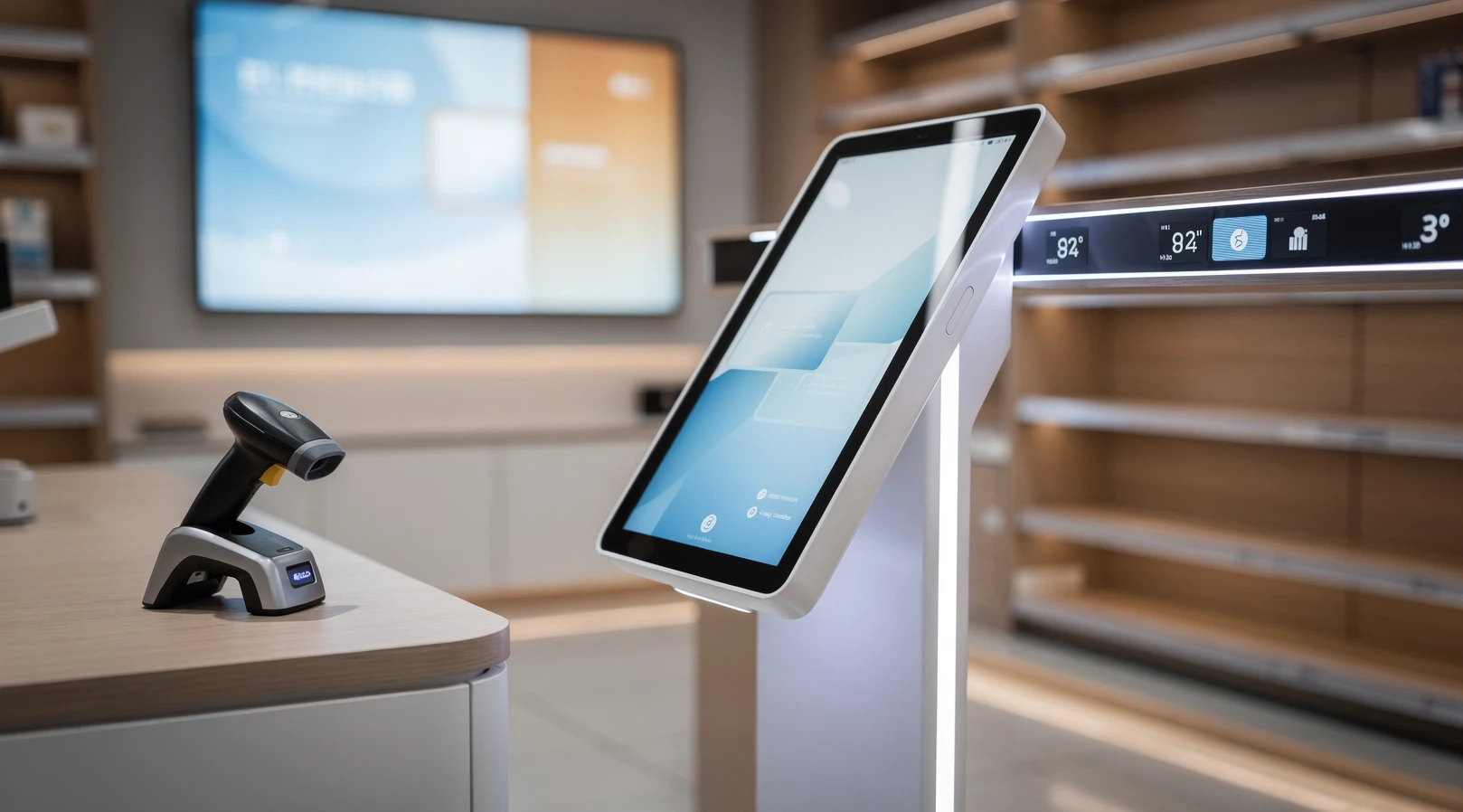
The point-of-sale terminal gets most of the attention in retail technology conversations, but it is only one node in a much larger in-store stack. The scanners that read a barcode, the scales that price a deli order, the kiosks that take a fast-food order, and the digital screens that change a price in real time all sit upstream and downstream of the register. Together they shape how fast a line moves, how accurate inventory stays, and how much a store can sell per square foot. This guide covers in store tech beyond pos for US retail and e-commerce teams, with practical detail on what each device class does, where it pays off, and how to avoid the integration traps that quietly drain margin.
The stakes are rising because the physical store is no longer a standalone channel. It is a fulfillment node, a returns desk, a media surface, and a brand experience all at once. Hardware that used to be a back-office cost is now part of the customer-facing system that decides whether a shopper converts in aisle or abandons the basket. For anyone building a payments and operations strategy, understanding the full device layer is as important as choosing the register software itself.
In short
- In-store technology is a layered system, not a single terminal. Scanners, scales, kiosks, and screens each handle a distinct job, and they only deliver returns when they share one inventory and pricing source of truth.
- Barcode and image scanners remain the highest-leverage hardware in most stores because they directly cut transaction time, shrink, and pricing errors at the busiest moment of the customer journey.
- Self-service kiosks raise average order value in food service and reduce labor pressure at peak, but they fail when the menu, payment, and fulfillment logic is not designed around the screen.
- Electronic shelf labels and digital signage turn pricing and promotion into a software problem, enabling same-day repricing, but they demand clean product data and a realistic total cost of ownership view.
- The common failure mode is buying devices in isolation. The teams that win treat hardware, payments, and inventory as one architecture and pilot before they roll out across a fleet.
Why in-store tech beyond POS matters in 2026
Physical retail still accounts for the large majority of US commerce. According to the US Census Bureau, e-commerce is a minority of total retail sales, which means the in-store experience remains the primary surface where most transactions happen. The technology that runs that surface is therefore not a niche concern. It is the operating system of the majority channel.
The store has also absorbed new jobs. It now fulfills buy-online-pickup-in-store orders, processes a rising volume of returns from digital channels, and increasingly serves as a local micro-fulfillment hub. Each of those jobs depends on hardware that the legacy register was never designed to handle. A scanner that only reads UPC barcodes struggles with the QR-coded pickup orders that omnichannel demands. A scale built for produce cannot weigh a parcel for a ship-from-store flow without integration work.
Labor economics push in the same direction. Wage pressure and persistent staffing gaps have made every minute of associate time more valuable. Devices that remove friction, whether a faster scanner, a self-order kiosk, or a shelf label that updates without a person walking the aisle, free that time for higher-value work like assisted selling and order picking. The payback math has shifted from “nice efficiency” to “structural necessity” for many formats.
Finally, payments and hardware are converging. The same architecture that decides whether a store accepts tap-to-pay, BNPL, or account-based wallets also decides whether a kiosk can take that payment without a separate terminal. Teams evaluating their register software, for example when weighing Square versus Shopify POS versus Clover for SMB retail, quickly discover that the choice ripples into every peripheral the store will ever attach. The register is the hub, but the spokes carry most of the operational load.
Key terms and definitions
Before comparing devices, it helps to fix the vocabulary. In-store technology is full of overlapping terms, and vendors use them loosely. The table below sets a working definition for each device class so the rest of this guide stays precise.
| Term | What it is | Primary job in the store |
|---|---|---|
| POS terminal | The register hardware and software that records a sale and takes payment | Transaction capture and tender |
| Barcode scanner | Laser or image-based reader that decodes UPC, EAN, or QR codes | Item identification at checkout and on the floor |
| Retail scale | Weighing device, often with a label printer, integrated to pricing | Weight-based pricing for produce, deli, and bulk |
| Self-service kiosk | Customer-facing touchscreen for ordering or checkout | Order entry, payment, and labor offload |
| Electronic shelf label (ESL) | Small e-paper or LCD display showing price at the shelf edge | Dynamic pricing and promotion accuracy |
| Digital signage | Larger screens for merchandising, wayfinding, or retail media | Promotion, brand, and in-store advertising |
| Mobile POS (mPOS) | Handheld or tablet device that brings checkout to the aisle | Line-busting and assisted selling |
How these layers connect
The critical insight is that none of these devices is useful in isolation. A scanner that reads a barcode but cannot look up the price in a shared catalog is a paperweight. A kiosk that takes an order but cannot route it to the kitchen display creates chaos rather than speed. The value lives in the integration layer that connects every device to a single source of truth for products, prices, inventory, and payments.
That source of truth is usually the commerce platform or the inventory management system, with the POS acting as the local agent of it. When the architecture is clean, adding a new device is a configuration task. When it is messy, every new device becomes a custom integration project with its own failure modes. This distinction explains why two stores with identical hardware budgets can get wildly different results.
How the in-store tech stack works in practice
In a well-run store, the device layer behaves like a coordinated system. A shipment arrives and an associate scans cases into inventory with a rugged handheld. That same scan updates the shared catalog, which feeds the electronic shelf labels so the aisle price matches the system price within minutes. When a customer brings the item to a register or a kiosk, the scanner reads the same barcode, the price resolves from the same catalog, and the payment settles through the same processor.
The flow sounds obvious, but the reliability of each handoff is where stores win or lose. A break anywhere in the chain, a label that did not update, a scanner that fails to read a damaged code, a kiosk that cannot reach the network, surfaces directly to the customer as friction or a pricing dispute. The job of the architecture is to make these handoffs boringly reliable at scale.
The data backbone behind the hardware
Every device described here is a thin client on top of product data. The barcode is only a pointer. What matters is the record it points to: the price, the tax rule, the promotion eligibility, the stock count, and the fulfillment status. When that data is accurate and synchronized, the hardware feels magical. When it is stale or fragmented across systems, the hardware feels broken even if every device works perfectly on its own.
This is why hardware decisions and data decisions cannot be separated. Stores that invest in clean master data and a real-time inventory feed get compounding returns from every device they attach. Stores that bolt devices onto a fragmented data layer spend their savings on reconciliation and customer service. The hardware is the visible part, but the data backbone is what actually pays the bills.
Network and resilience considerations
The more a store leans on connected devices, the more network resilience matters. A kiosk fleet that goes dark during an internet outage can halt ordering at a quick-service restaurant. Mature operators design for graceful degradation: local caching of prices and catalog, offline payment authorization windows, and clear fallback procedures for associates. The goal is that a network blip slows the store rather than stopping it.
Barcode scanners, scales, and weighing systems
Scanners are the unglamorous workhorses of retail, and they remain the single highest-leverage piece of hardware in most stores. A faster, more reliable scan compounds across thousands of transactions per day. The shift from laser scanners to area-imaging scanners matters more than it sounds, because imagers read damaged, curved, and mobile-screen barcodes that lasers struggle with, and they read 2D codes like QR and Data Matrix that omnichannel flows increasingly rely on.
For stores moving into ship-from-store and pickup, the scanner choice directly affects whether associates can process digital orders quickly. A pickup order presented as a QR code on a phone is unreadable by an old laser unit, forcing manual lookup that defeats the speed promise of omnichannel. Upgrading scanners is often the cheapest way to unlock a faster omnichannel experience, far cheaper than replacing the whole register stack.
Scales as a pricing and compliance system
Retail scales are easy to underestimate because they look like simple weighing devices. In practice a connected scale is a pricing engine for an entire category. In grocery, deli, and bulk formats, the scale calculates price from weight, prints a barcode label, and ties that label back to the catalog so the register resolves it instantly. Get the integration wrong and you get mispriced labels, failed scans at checkout, and weights-and-measures compliance risk.
The compliance angle is real and often overlooked. Commercial scales used for direct sale must meet legal-for-trade standards, and the certification process is non-trivial. Teams that treat a scale as a generic peripheral discover late that the device, its software, and even its installation are regulated. Planning for certification from the start avoids expensive rework and potential fines.
Handheld and wearable scanning on the floor
Scanning is moving off the counter and onto the floor. Wearable ring scanners, handheld computers, and scanner-equipped phones let associates check stock, fulfill online orders, and price-check without walking to a fixed station. This mobility is the connective tissue of omnichannel fulfillment, and it shares hardware logic with mobile POS. A store that equips associates with mobile scanning typically sees faster picking and fewer out-of-stock disappointments, both of which protect revenue that would otherwise leak to a competitor.
Self-service kiosks and screens
Self-service kiosks have moved from novelty to expectation in food service and are spreading into general retail. The appeal is twofold: kiosks reliably raise average order value through unhurried browsing and prompted upsells, and they absorb peak demand without proportional labor. A well-designed kiosk does not just replicate a cashier. It uses the screen to merchandise in ways a human at a register cannot, surfacing combos, modifiers, and add-ons at the exact moment of decision.
But kiosks are not a guaranteed win. They fail when operators treat them as a labor-cost story rather than an experience story. A confusing menu, a slow payment flow, or an order that does not route cleanly to the kitchen turns a kiosk into a bottleneck and a customer service problem. The lesson many operators learned the hard way with self-checkout applies here too. The technology amplifies whatever operational design sits behind it. The trade-offs are worth studying in detail, and our analysis of self-checkout in retail, when it pays and when it kills morale, maps the same tension between efficiency and friction.
Electronic shelf labels and dynamic pricing
Electronic shelf labels are the quiet revolution at the shelf edge. By replacing paper tags with e-paper displays controlled from the central catalog, ESLs make repricing a software action rather than a manual chore. A store can update thousands of prices in minutes, run flash promotions, and guarantee that the shelf price matches the register price, eliminating one of the most common sources of customer disputes and lost trust.
The strategic payoff goes beyond labor savings on tag changes. ESLs unlock genuine dynamic pricing, the ability to respond to demand, competition, and inventory levels in near real time. They also reduce shrink from pricing errors and support markdown discipline on perishable or seasonal stock. The constraint is data quality. Dynamic pricing on top of inaccurate inventory or messy product records can move prices in the wrong direction fast, so the data backbone matters even more here than elsewhere.
Digital signage and in-store retail media
Larger screens serve a different job: merchandising, wayfinding, and increasingly in-store retail media. Retail media has become one of the fastest-growing high-margin lines in commerce, and the physical store is the next frontier for it. Screens at the shelf, at the entrance, and at the checkout can carry brand-funded promotions, turning a cost center into a revenue line. The discipline required is the same as for any media business: measurable placement, relevant content, and a clean way to attribute lift to the screen.
Common mistakes and how to avoid them
The most expensive mistake in in-store technology is buying devices in isolation. A team sees a kiosk demo, loves it, and orders a fleet without checking whether the kitchen display, the payment processor, and the loyalty system can all talk to it. The result is a beautiful screen that creates more work than it removes. The fix is to start from the architecture and the customer journey, then choose hardware that fits, rather than choosing hardware and forcing the architecture around it.
The second common mistake is skipping the pilot. Hardware behaves differently in a real store than in a vendor demo, where the network is perfect and the data is clean. A disciplined operator pilots in a small number of locations, measures the specific metric the device is supposed to move, and only then scales. The cost of a failed pilot in three stores is a rounding error. The cost of a failed rollout across three hundred stores is a career event.
The third mistake is ignoring total cost of ownership. The sticker price of a scanner or a label is a fraction of the lifetime cost once you add installation, network, software licensing, maintenance, and the staff time to manage it. Treating hardware as a capital purchase rather than an ongoing operating commitment leads to budgets that look great on day one and hurt by year two. The same rigor that founders apply to D2C unit economics every founder should be able to defend belongs in every in-store hardware decision.
| Mistake | What it looks like | How to avoid it |
|---|---|---|
| Buying in isolation | Devices that cannot share inventory, price, or payment data | Design the architecture first, then select compatible hardware |
| Skipping the pilot | A full-fleet rollout that fails on real-store conditions | Pilot in a few stores, measure one clear metric, then scale |
| Ignoring total cost of ownership | Budgets blown by install, licensing, and maintenance | Model the five-year operating cost, not the unit price |
| Treating data as an afterthought | Stale prices, failed scans, pricing disputes | Invest in clean master data and real-time inventory first |
| No offline fallback | Network outage halts ordering or checkout | Design for graceful degradation and local caching |
Examples from US retail and e-commerce
US grocers have led on electronic shelf labels and connected scales because their categories demand both. Weight-based pricing in produce and deli makes integrated scales non-negotiable, and the sheer volume of SKUs makes manual repricing impractical at any reasonable labor cost. The grocers that moved early on ESLs gained the ability to run tighter perishable markdowns, cutting waste while protecting margin, a direct bottom-line benefit that paid for the hardware.
Quick-service restaurants have been the proving ground for kiosks. Large chains reported that kiosk orders consistently run a higher average ticket than counter orders, driven by patient browsing and consistent upsell prompts. The kiosk does not get tired, does not forget to ask about a drink, and does not feel awkward suggesting the larger size. That behavioral consistency, repeated across millions of orders, is where the revenue lift comes from, and it is why kiosks spread so fast across the category.
Specialty and apparel retailers have leaned into mobile POS and scanning to shrink lines and support assisted selling. By bringing checkout and product lookup to the floor, they convert browsing into buying before the customer cools off, and they free the fixed counter for returns and pickups. The same playbook shows up across the broader toolkit that brick-and-mortar operators assemble. Our roundup of tools and vendors for brick-and-mortar in 2026 tracks how these device categories fit a complete store stack.
How layout and hardware reinforce each other
Hardware decisions are also store-design decisions. Where a kiosk sits, how a scale-equipped counter is positioned, and how screens guide a shopper through the space all shape conversion. A kiosk placed in a congested entryway frustrates rather than helps. A screen positioned where no one pauses wastes its media value. Thinking about device placement as part of the physical journey, the way a strong store design that drives conversion approach does, often matters as much as the device specification itself.
Tools, partners, and vendors worth knowing
The vendor landscape for in-store technology is broad, and the right choice depends on store format, scale, and the existing platform. The goal is not to pick the most advanced device but the one that integrates cleanly with the commerce and payments stack already in place. The table below maps the major device categories to the kind of vendor profile that typically serves them, without endorsing any single supplier.
| Device category | Typical vendor profile | Key selection criterion |
|---|---|---|
| Barcode scanners | Established industrial scanning specialists | Imaging support for 2D and mobile-screen codes |
| Retail scales | Weighing and labeling system vendors | Legal-for-trade certification and catalog integration |
| Self-service kiosks | Kiosk platform providers and POS ecosystems | Native integration with kitchen and payment routing |
| Electronic shelf labels | ESL platform specialists | Central catalog control and battery lifecycle |
| Digital signage | Signage and retail media networks | Content management and attribution measurement |
| Mobile POS | Modern cloud POS platforms | Same payment and inventory engine as the fixed register |
The platform question underneath every device
Underneath every device sits the commerce and payments platform that ties them together. The single most consequential decision is therefore not which scanner or kiosk to buy but which platform will serve as the integration backbone. A modern cloud platform with a strong peripheral ecosystem turns each device into a plug-in. A legacy or fragmented stack turns each device into a project. The device shopping list should always start from the platform, never the other way around.
For teams still settling that foundation, the payments and POS layer is the right place to begin, because it constrains everything downstream. Reading our broader coverage of how retail payments are evolving and how the register choice shapes the wider hardware stack will save expensive rework later. The cheapest integration is the one designed before the first device is ordered.
Frequently asked questions
What counts as in-store tech beyond POS?
It is every customer-facing or operational device that connects to the commerce stack but is not the register itself: barcode and image scanners, retail scales, self-service kiosks, electronic shelf labels, digital signage, and mobile POS handhelds. Each handles a specific job around the transaction, and they only deliver value when they share one source of truth for products, prices, and inventory.
Which in-store device gives the fastest return on investment?
For most stores, upgrading barcode scanners to area-imaging units gives the quickest payback because the benefit compounds across every transaction and unlocks omnichannel flows like QR-coded pickup. Kiosks pay back fast in food service through higher average order value, while electronic shelf labels pay back through labor savings and pricing accuracy in high-SKU formats like grocery.
Do self-service kiosks actually increase sales?
In food service, yes, kiosks consistently raise average ticket because they prompt upsells without social friction and let customers browse at their own pace. The lift only materializes when the menu, payment flow, and order routing are designed around the screen. A poorly designed kiosk can reduce throughput and frustrate customers, so the experience design matters more than the hardware.
What are electronic shelf labels and are they worth it?
Electronic shelf labels are e-paper displays at the shelf edge controlled from the central catalog, so prices update in software rather than by hand. They are worth it in high-SKU, frequent-repricing formats because they cut tag-change labor, eliminate shelf-versus-register price mismatches, and enable dynamic pricing. Their value depends entirely on accurate product and inventory data behind them.
How do scanners and scales connect to the POS?
They connect through the commerce platform or inventory system that the POS uses as its source of truth. A scanner reads a code that points to a catalog record, and a scale calculates price from weight and prints a barcode that resolves against the same catalog. Clean integration means the register, the scanner, and the scale all reference identical product and price data in real time.
What is the biggest mistake retailers make with in-store hardware?
Buying devices in isolation without checking whether they integrate with the existing payments, inventory, and fulfillment systems. The result is hardware that creates more manual work than it removes. The disciplined approach is to design the architecture and customer journey first, pilot in a few stores, measure one clear metric, and only then scale across the fleet.
How important is network reliability for connected store devices?
Critical, and it grows with every connected device added. A kiosk fleet or mobile POS deployment that depends on constant connectivity can halt operations during an outage. Mature operators design for graceful degradation with local price caching, offline payment authorization windows, and clear associate fallback procedures, so a network blip slows the store rather than stopping it.
Should small retailers invest in this hardware or wait?
Small retailers should start from the platform decision and add devices where the payback is clear, usually scanners and mobile POS first. Kiosks and electronic shelf labels make sense once volume or SKU count justifies them. The key is to choose a cloud POS with a strong peripheral ecosystem so devices plug in cleanly, then expand the stack as the store grows rather than buying everything at once.
How does in-store tech support omnichannel fulfillment?
Mobile scanning and handheld computers let associates pick online orders, check stock, and process pickups from anywhere on the floor, while imaging scanners read the QR codes that pickup and return flows rely on. Connected scales support ship-from-store parcel handling, and a shared inventory backbone keeps online and in-store stock counts accurate. Together these devices turn the store into a fulfillment node rather than a standalone sales channel.