
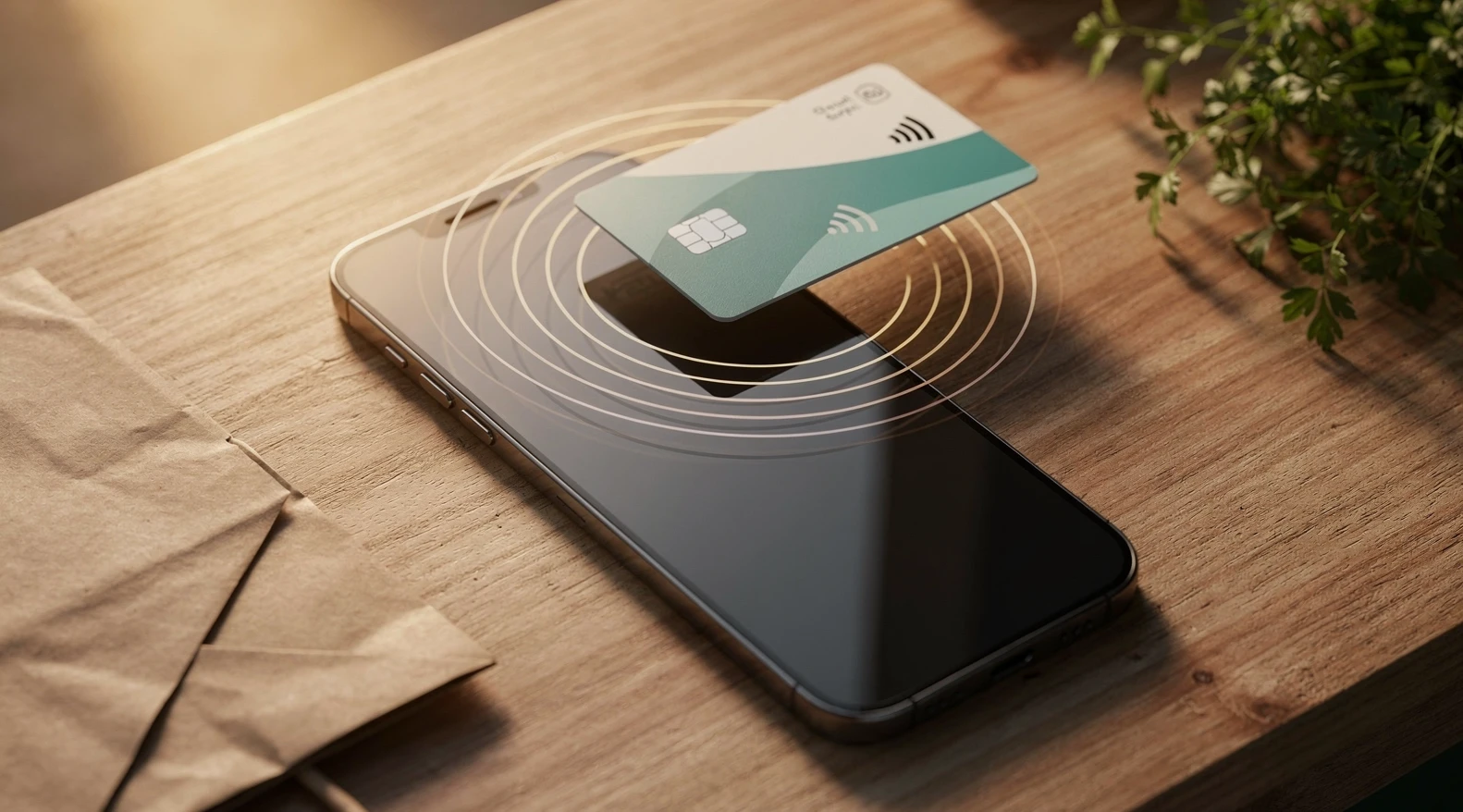
Tap to Pay on iPhone for retailers turns the phone already in a shop owner’s pocket into a contactless card terminal, with no reader, no dock and no monthly hardware lease. The pitch is mostly true. What it leaves out is the operational detail: what happens to tips, how refunds work when the customer has left, why a metal phone case kills the read rate, and the hour in a Saturday shift when the battery becomes the payment system’s single point of failure. This guide works through those details for iPhone and Android, provider by provider, and finishes with an honest test for when a dedicated terminal is still the better buy.
In short
- No extra hardware: Tap to Pay on iPhone (iPhone XS or newer, current iOS) and Tap to Pay on Android (NFC phones on a supported OS version) accept contactless cards and phone wallets through a payment provider’s app. Apple and Google do not bill the merchant; the provider does.
- Same rate as a card reader: in the United States, Square, Stripe, PayPal Zettle and SumUp publish the same in-person rate for phone taps as for their plug-in readers, roughly 2.3–2.7 percent plus a fixed cent fee as of mid-2026. Always confirm on the provider’s pricing page.
- Tips and refunds work, with caveats: every major provider offers a tip screen and app-based refunds to the original card. Paper receipts, tap-to-refund and split tender vary by provider and are the usual sore points.
- Caps are set by the network and issuer, not the phone: plastic cards can hit a contactless ceiling (for example £100 in the UK, roughly €50 per tap in the EU under strong customer authentication rules), while Apple Pay and Google Pay taps generally clear those ceilings because the customer authenticated on their own device.
- Where a terminal still wins: high-volume counters, shops that need printed receipts or cash drawers, environments with heavy phone cases and gloves, and any business that cannot afford a dead battery at 4 pm.
How Tap to Pay works on iPhone and Android
Tap to Pay uses the NFC radio in the phone to read a contactless card or wallet, encrypts the card data at the moment of the read, and sends it to the payment provider for authorization. The merchant never sees or stores a card number. Apple launched Tap to Pay on iPhone in the United States in February 2022 and, according to Apple’s own support documentation, had extended it to more than 20 markets by 2025, including the UK, Canada, Australia, Germany, France, Japan and Brazil.
The Android version is not one product. Google exposes NFC reader mode to developers, and payment providers ship their own “Tap to Pay on Android” inside their apps, certified against a security standard maintained by the PCI Security Standards Council. That standard, called MPoC (Mobile Payments on COTS, where COTS means commercial off-the-shelf devices), was published in late 2022 and replaced two earlier standards, CPoC for contactless-only and SPoC for PIN entry. The practical effect: an Android phone must pass integrity checks every time it takes a payment, and a rooted or heavily modified phone will be refused.
What the customer sees
The customer holds a card, phone or watch to the top edge of the merchant’s iPhone, or to the NFC antenna area on an Android phone, which is usually the upper back. A tone and a tick appear within a second or two. For cards that require a PIN (common outside the US, and for transactions above a network threshold), the customer enters the PIN on the merchant’s screen. Apple added on-screen PIN entry to Tap to Pay on iPhone in 2023 and describes the privacy model in the developer documentation: the PIN is captured inside a protected interface that the provider’s app cannot read.
What the merchant sees
The merchant opens the provider’s app, rings up the sale (or types an amount), and taps “charge”. The phone shows a “hold here” prompt. After approval, the app offers a receipt by text or email and returns to the sale screen. There is no pairing, no Bluetooth reader to charge and no dongle to lose.
The basics of the model, including the fee structure and the security architecture, are covered in the earlier piece on what tap to pay on phone means for small retailers; this article assumes those basics and focuses on operating it day to day.
Tap to Pay sits inside the broader shift toward phone-based wallets and away from plastic, a shift that the payments pillar on how retail payments are changing across cards, BNPL and crypto tracks in detail. For a small retailer the relevant part of that shift is simple: more customers arrive with a wallet on their phone, and a wallet tap on a merchant’s phone is the lowest-friction transaction available today.
Providers, rates and what setup actually involves
Apple and Google both take a small platform fee from the payment provider, not from the merchant, so the merchant’s cost is entirely the provider’s published in-person rate. As of mid-2026, the US providers below all price a phone tap identically to a tap on their own reader. Rates change; the figures here are from provider pricing pages and should be verified before signing up.
| Provider (US) | Tap to Pay on iPhone | Tap to Pay on Android | Published in-person rate (mid-2026, verify) | Setup path |
|---|---|---|---|---|
| Square | Yes, in the Square POS app | Yes | 2.6% + 15 cents | Create account, download app, enable in Settings, no hardware |
| Stripe | Yes, via Stripe Terminal SDK in a partner or custom app | Yes | 2.7% + 5 cents | Needs a Stripe Terminal integration; best through a POS partner such as Shopify or Lightspeed |
| PayPal Zettle | Yes, in the Zettle Go app | Yes | 2.29% + 9 cents | PayPal business account, app download, identity checks |
| SumUp | Yes | Yes | 2.6% + 10 cents | Account, app, no hardware |
| Shopify POS | Yes (built on Stripe) | Yes | Tied to Shopify plan; 2.4–2.7% range plus fixed fee | Requires a Shopify store subscription |
| Chase, Fiserv (Clover Go), Worldpay, Adyen | Yes | Yes (varies) | Negotiated or interchange-plus | Merchant account underwriting; slower but cheaper at volume |
Two things stand out in that table. First, for the smallest merchants the cheapest published percentage (Zettle) and the cheapest fixed fee (Stripe) are on different rows, so the winner depends on average ticket. At a $12 average ticket, Zettle’s 2.29% + 9 cents is 36.5 cents per sale against Stripe’s 37.4 cents and Square’s 46.2 cents; Stripe’s lower fixed fee only wins below roughly a $10 ticket, and above that Zettle’s lower percentage pulls further ahead.
Second, the acquirer-style providers (Chase, Fiserv, Worldpay, Adyen) do not publish a flat rate because they price on interchange-plus, which typically undercuts flat-rate providers above roughly $10,000 a month in card volume.
What setup involves in practice
- Device check. Tap to Pay on iPhone requires iPhone XS or later on a recent iOS. Android requirements vary by provider, typically an NFC phone on Android 10 or newer with Google Play services, not rooted, and not on the provider’s excluded-device list. Budget Android phones with weak NFC antennas are the most common failure.
- Account and underwriting. Flat-rate providers approve most retailers within minutes but may hold funds on a first large batch. Acquirers run full underwriting and take days.
- Enable the feature. On iPhone, the app requests the Tap to Pay entitlement, the phone runs a one-time configuration, and the merchant accepts Apple’s terms. On Android, the app runs an attestation and may ask for a device restart.
- Configure receipts, tips and tax. Set these before the first sale. Defaults are provider-specific and rarely match a retailer’s needs.
- Run a live $1 test. Tap a personal card, confirm the receipt arrives, then refund it from the app to see the refund path before a customer needs it.
Where it fits: markets, pop-ups, queue busting and deliveries
Tap to Pay fits any selling moment where the merchant moves and the customer stands still. It fits poorly where the merchant stands still and the customers queue. That single rule sorts most use cases.
Markets and pop-ups
A farmers market stall or a weekend pop-up is the strongest case. The seller carries one phone, no reader to lose, no reader battery to manage, and no monthly fee during the off-season. For a vendor doing 40 sales a Saturday, the difference between a phone tap and a $59 reader is operational, not financial. The related guide to mobile POS for pop-ups and small retailers in plain numbers runs the hardware math for the cases where a reader still pays back.
Queue busting in a fixed store
A shop with one fixed terminal can hand a second staff member a phone during peak hours and take payments from the line. This works well for simple baskets (a coffee, a single item, a pre-priced service) and badly for baskets that need barcode scanning, because a phone camera is slower than a hardware scanner at a busy counter. Bluetooth scanners paired to the phone close the gap at the cost of one more battery to manage.
Deliveries, home services and trades
A florist delivering a wedding order, a plumber closing a job, a furniture store completing a delivery: all three can take a card at the door with no extra device. The transaction is card-present, which carries lower interchange and a stronger evidence position in a chargeback than a card-not-present invoice link sent later.
Where it does not fit
Fixed counters with more than roughly 100 card transactions a day, shops that need a cash drawer to open on each sale, and any business selling age-restricted goods that must scan ID on a hardware device. These are terminal businesses, and trying to run them on a phone produces a slower checkout and a device that some shoppers still read as informal.
Limits: tips, refunds, receipts and transaction caps
Each of the four areas below works, but each has a rough edge that a retailer should know before the first busy day.
Tips
Square, SumUp, Zettle and Stripe Terminal partner apps all offer an on-screen tip prompt with preset percentages or amounts. The rough edge is sequencing: on most providers the tip screen appears before the tap, and if the customer taps first the tip cannot be added without a second transaction. Staff need to learn to turn the phone toward the customer before saying “tap when ready”, not after.
Refunds
Refunds are issued from the app to the original card, and on all major providers this works without the card being present. That is a genuine advantage over some older terminals that required a re-tap. The rough edges: partial refunds on itemized sales are clunky on smaller providers, refunds on tips are sometimes a separate step, and refund windows differ (commonly 60 to 120 days). Refund timing to the customer’s account is set by the issuer, not the provider, and can take 5–10 business days, which staff should say out loud to avoid a second visit.
The sibling piece on Apple Pay, Google Pay and PayPal at retail checkout covers why wallet refunds sometimes show on a different card number than the customer expects, which is a tokenization artifact rather than an error.
Receipts
Every provider sends receipts by text or email. Only some print. Square supports Bluetooth and network printers from the phone app, Zettle and SumUp support a narrower list, and Stripe-based apps depend on the partner. A retailer that needs paper receipts for returns policy or tax reasons should treat printer support as a hard requirement, not a nice-to-have, and test it before launch.
Transaction caps
The phone imposes no cap. Caps come from three places: the card network’s contactless rules, the issuer’s risk settings, and the provider’s own per-transaction ceiling for new accounts. The table below summarizes the first of those for the markets where Tap to Pay is most used. Figures are as published by the named source and change; treat them as orientation, not rules.
| Market | Plastic card contactless limit | Phone or watch wallet tap | Source to verify |
|---|---|---|---|
| United States | No network-mandated cap; issuers set their own, often $100–$250 before requiring a PIN or signature | Generally no cap; customer authenticated on device | Card issuer terms; Visa and Mastercard US contactless guidance |
| United Kingdom | £100 per tap (raised October 2021) | No cap under consumer device authentication | UK Finance; Financial Conduct Authority |
| European Union | Roughly €50 per tap, with a cumulative limit (commonly €150 or five taps) before a PIN is required | No cap when the wallet authenticates the customer | European Banking Authority guidance on the PSD2 strong customer authentication exemptions |
| Australia | A$200 per tap under the card schemes’ rules | No cap under device authentication | Australian Payments Network |
| Canada | Commonly C$250, set by issuers | No cap under device authentication | Payments Canada; issuer terms |
The practical takeaway: a $400 sale on a plastic card may trigger a PIN prompt or a decline on Tap to Pay, while the same sale on Apple Pay usually clears. Staff should ask a customer paying a large amount whether they have the card in a phone wallet before they tap plastic. Providers also apply new-account ceilings that lift automatically after a clean history.
Battery, hardware and reliability in a real shift
The NFC read itself uses almost no power. The drain is the screen, the cellular radio and the provider’s app running in the foreground for eight hours. A rough field rule from full-time operators: a modern iPhone at 100 percent at 8 am will reach 20–30 percent by mid-afternoon if it is also being used for messages and product lookups, and will not make it to close without a top-up. The fix is a $20 battery pack, but it has to be in the plan.
Cases, gloves and read distance
Metal phone cases, wallet cases with card slots and thick rugged cases reduce NFC read rate sharply, sometimes to zero. Apple’s guidance is to hold the card to the top of the iPhone; on Android the antenna position varies by model, and staff need to learn it once. Card slots in the merchant’s own phone case are the most common cause of “it worked yesterday” reports, because the cards in the case confuse the reader. The rule for a shop phone is a thin, non-metal case with no card slots.
Connectivity and offline mode
Tap to Pay needs a data connection to authorize. Most providers offer a limited offline mode that queues taps and submits them when the connection returns, with the merchant carrying the risk of a later decline. The guide to POS offline mode and what happens when the store loses internet explains those risk rules; the short version is that offline mode is fine for a $15 coffee and a bad idea for a $600 coat.
Software updates and app crashes
A phone-based terminal runs on a consumer operating system that updates itself. An iOS or Android update on a Friday night can change NFC behavior or break an app until the provider pushes a fix. Two practical controls: apply OS updates manually on a quiet morning, and keep one backup path (a second configured phone, or a $59 reader in a drawer) for the day the app refuses to open.
Personal phone or shop phone
Running Tap to Pay on the owner’s personal phone is fine for a market stall and a poor choice for a shop with staff, because it puts the owner’s messages and banking app in an employee’s hand. A dedicated shop phone (a two-year-old iPhone bought refurbished for $250–350 is a common choice) costs less than a mid-range terminal, and it can be locked with a managed profile so the payments app is the only thing that opens.
Security, PIN entry and compliance questions
The security model is stronger than most small retailers expect, because the card data is encrypted at the moment of the NFC read and is never available to the merchant’s app, the phone’s storage or the merchant. On Android, the MPoC standard from the PCI Security Standards Council requires continuous attestation: the app checks the device’s integrity and reports to a monitoring service, and a compromised device is refused before any card is read.
What this means for PCI scope
Because the merchant never touches card data, most flat-rate providers cover the merchant under their own PCI validation and ask the merchant only to complete a short self-assessment questionnaire, or none at all. That is a reduction in compliance work compared with a traditional terminal on a merchant account. The merchant still owns the device, the login and the receipts. Providers publish their PCI stance on their own pages, and the PCI Security Standards Council publishes the MPoC standard and the list of validated solutions.
PIN entry on a phone
PIN on a consumer phone was the last piece to arrive. Apple supports on-screen PIN entry on Tap to Pay on iPhone; Android providers support it under MPoC where the provider has certified it. The privacy protection is that the PIN entry screen is isolated from the merchant’s app. A retailer should still position the phone so that the customer can shield the PIN, exactly as they would at a terminal, because the screen is larger and more visible than a terminal keypad.
Chargebacks and evidence
A Tap to Pay transaction is card-present, which shifts fraud liability for counterfeit cards to the issuer in most cases, the same as an EMV chip transaction on a terminal. The provider’s app stores the authorization code, time, location (if permitted) and receipt delivery address, which together form the evidence packet in a dispute. Retailers taking large tickets by phone should switch on location permissions for the payments app for that reason.
A short note on the rules above: the contactless limits, strong customer authentication thresholds and PCI obligations described here are general information as published by the named regulators and standards bodies at the time of writing, not compliance or legal advice. Rules differ by country and change over time. A retailer with a specific question about their obligations should confirm the current position with their payment provider, their acquiring bank or a qualified payments compliance adviser.
When a dedicated terminal is still the better buy
Tap to Pay is not a terminal replacement for every shop, and providers know it: Square, Zettle, SumUp and Stripe all sell hardware alongside it. The test below takes five minutes and answers the question for most retailers.
- Count daily card transactions. Under 50: phone. 50–150: phone plus a reader in a drawer. Over 150: terminal, with a phone for queue busting.
- Check receipt and drawer needs. Printed receipts on every sale, or a cash drawer that must open on card sales for reconciliation: terminal.
- Check the environment. Gloves, wet hands, outdoor cold, heavy cases: terminal or a rugged reader. Phone screens and cold fingers are a bad pairing.
- Check the average ticket. Regular sales above the local plastic contactless cap: terminal with a chip slot, so that a plastic card can be inserted and PIN-verified without a second attempt.
- Check who holds the device. Staff turnover, shared shifts, or teenage weekend help: a locked terminal is simpler to manage than a phone with a managed profile.
On cost, the difference is smaller than the marketing on either side implies. Entry readers list at $29 (Zettle, first device), $59 (Square Reader, Stripe M2) and $99 (SumUp Solo) as of mid-2026, and all use the same rate as a phone tap on the same provider. Full terminals with printers and drawers list at $299 (Square Terminal) to $599 (Clover Flex), with Clover and other acquirer hardware often carrying a monthly software fee. A retailer choosing between the two should read the comparison of Square, Clover and Lightspeed as a retail POS in 2026 before deciding, because the terminal choice is really a POS software choice.
| Scenario | Tap to Pay on phone | $29–99 reader paired to phone | $299–599 terminal |
|---|---|---|---|
| Weekend market stall, 30–60 sales a day | Best fit | Backup only | Overkill |
| Independent shop, one counter, 80–150 sales a day | Queue busting | Adequate with a printer | Best fit |
| Home services, invoices closed at the door | Best fit | Adequate | Rarely justified |
| Cafe with tips and a cash drawer | Second device only | Adequate | Best fit |
| Outdoor or cold-weather selling | Poor (screen, gloves, battery) | Best fit with a rugged reader | Good, higher cost |
| High-ticket goods above local contactless cap | Wallet taps only | Chip slot solves plastic | Best fit |
Common mistakes
The failures below come up repeatedly in provider support forums and in operators’ own accounts. None are hard to avoid once named.
- Launching without a live test refund. The first refund a shop issues should not be to an angry customer. Run a $1 sale and refund it on day one.
- Using a wallet case on the shop phone. Cards in the case slot interfere with the reader. Thin case, no slots, no metal.
- No battery plan. A phone that dies at 3 pm is a shop that stops taking cards at 3 pm. Keep a battery pack and a cable at the counter.
- Not knowing the plastic contactless cap. Staff who cannot explain why a £120 plastic tap failed lose the sale. Teach the wallet alternative.
- Automatic OS updates on a shop phone. Apply updates on a quiet morning, after checking the provider’s status page.
- Treating it as PCI-free. Scope is reduced, not eliminated. Complete the provider’s questionnaire and keep the device locked.
- Ignoring the tip sequence. Turn the phone to the customer before the tap, not after, or the tip is lost.
FAQ on Tap to Pay for retailers
Does Tap to Pay on iPhone cost more than a card reader?
No, on every major US provider the in-person rate is the same for a phone tap and a tap on the provider’s own reader. Apple and Google charge the payment provider a small platform fee that the provider absorbs. The merchant’s cost is the provider’s published rate, for example 2.6% + 15 cents at Square or 2.29% + 9 cents at PayPal Zettle as of mid-2026. The saving is the hardware: nothing to buy, replace or charge.
Which iPhones and Android phones work?
Apple supports Tap to Pay on iPhone XS and later running a current iOS release. Android support depends on the provider; most require an NFC-capable phone on Android 10 or newer with Google Play services, not rooted, and not on the provider’s excluded list. Budget Android phones with weak NFC antennas are the usual problem, so check the provider’s supported-device page and run a test transaction before relying on a given handset for a shift.
Can customers add a tip?
Yes. Square, SumUp, PayPal Zettle and Stripe-based apps such as Shopify POS all offer a tip screen with preset amounts or percentages. The catch is sequencing: the tip prompt usually appears before the tap, so staff need to turn the phone toward the customer and let them choose before they hold their card up. If the customer taps first, the tip cannot be added to that transaction and would need a separate charge, which most customers decline.
How do refunds work if the customer has already left?
Refunds are issued from the provider’s app to the original card without the card being present, on all major providers. The merchant finds the transaction, chooses full or partial refund, and confirms. The money returns to the customer’s account on the issuer’s timeline, typically 5–10 business days. Refund windows vary by provider, commonly 60 to 120 days from the sale, and tips are sometimes refunded as a separate step.
Is there a maximum amount for a phone tap?
The phone sets no cap, but three other things do. Card networks and issuers set contactless limits for plastic cards: £100 in the UK, roughly €50 per tap in the EU under strong customer authentication rules, and issuer-set limits in the US that often sit at $100–$250. Wallet taps from Apple Pay or Google Pay usually clear those limits because the customer authenticated on their own device. Providers also apply new-account per-transaction ceilings that lift after a clean history.
What happens if the phone has no signal?
Tap to Pay needs a data connection to authorize a sale. Most providers offer a limited offline mode that stores the tap and submits it when the connection returns, with the merchant carrying the risk if the card is later declined. Offline caps and time windows are set by the provider, often 24 to 72 hours, and the mode suits small tickets rather than large ones. A shop in a poor-signal location should test Wi-Fi fallback and keep offline mode switched on with a low per-transaction limit.
Is Tap to Pay on a phone secure enough for a shop?
Yes, within the design’s limits. Card data is encrypted at the NFC read and never exposed to the merchant’s app or stored on the phone. On Android, the PCI Security Standards Council’s MPoC standard requires continuous device attestation, so a compromised phone is refused before any card is read. On iPhone, Apple isolates the read and PIN entry from the provider’s app, leaving the merchant responsible only for the device, the login and the receipts.
Can I print receipts from Tap to Pay?
It depends on the provider: Square’s app supports a range of Bluetooth and network receipt printers, PayPal Zettle and SumUp support a narrower set, and Stripe-based apps depend on the partner’s implementation. All providers send digital receipts by text or email. A retailer that needs paper receipts for returns or tax records should treat printer support as a hard requirement and test the exact printer model before committing, because compatibility lists change with app updates.
When should a small retailer buy a terminal instead?
When daily card transactions regularly exceed roughly 150, when a cash drawer must open on card sales, when printed receipts are required on every sale, when the environment involves gloves or cold, or when tickets routinely exceed the local plastic contactless cap and a chip slot is needed. In those cases a $299–599 terminal running the same provider’s software is a better tool, and the phone remains useful as a second device for queue busting during peaks.
Next steps
A retailer weighing Tap to Pay should run the five-question test above, then open an account with the provider whose rate best matches their average ticket and run a live sale and refund before the first trading day. The payments pillar on how retail payments are changing across cards, BNPL and crypto sets the wider context for why wallet taps are gaining share. For the two neighboring questions a phone-based setup raises, the pieces on crypto payments in retail and real adoption versus hype and stablecoin settlement for cross-border retail merchants cover what is and is not arriving on the same phone screen next.